My Upper Back Pain started as a dull ache I ignored for months. By the time I took it seriously, I couldn’t sit at my desk for more than 20 minutes without shifting positions. That’s when I went down the rabbit hole of ergonomic chairs — and spent the next four months testing six of them to find one that actually helped.
My Upper Back Pain started as a dull ache I ignored for months. By the time I took it seriously, I couldn’t sit at my desk for more than 20 minutes without shifting positions. That’s when I went down the rabbit hole of ergonomic chairs — and spent the next four months testing six of them to find one that actually helped.
Quick Answers — Best Office Chair for Upper Back Pain
Q: What is the best office chair for upper back pain in 2026?
A: The Steelcase Leap V2 and Herman Miller Aeron are the top picks for upper back pain, offering adjustable lumbar and thoracic support with 12-year warranties. The Leap V2 has a LiveBack system that flexes with your spine, while the Aeron’s PostureFit SL pad targets the sacral-lumbar region.
Q: How much should I spend on an office chair for upper back pain?
A: Expect to spend $800 to $1,400 for a chair with proper thoracic support. Budget options like the HON Ignition 2.0 ($350 to $450) can help, but lack the adjustability of premium models. Anything under $300 typically has inadequate upper back support.
Q: Can the wrong office chair cause upper back pain?
A: Yes. A chair with no upper back support, poor recline range, or fixed armrests forces your thoracic spine into flexion. Over 6 to 8 hours daily, this leads to muscle fatigue, trigger points, and chronic pain between the shoulder blades.
Q: What chair features matter most for upper back pain?
A: Adjustable lumbar depth, a reclining backrest with tension control, 4D armrests, and seat depth adjustment. The backrest should reach at least your mid-back (above the shoulder blades) to distribute load across the thoracic spine.
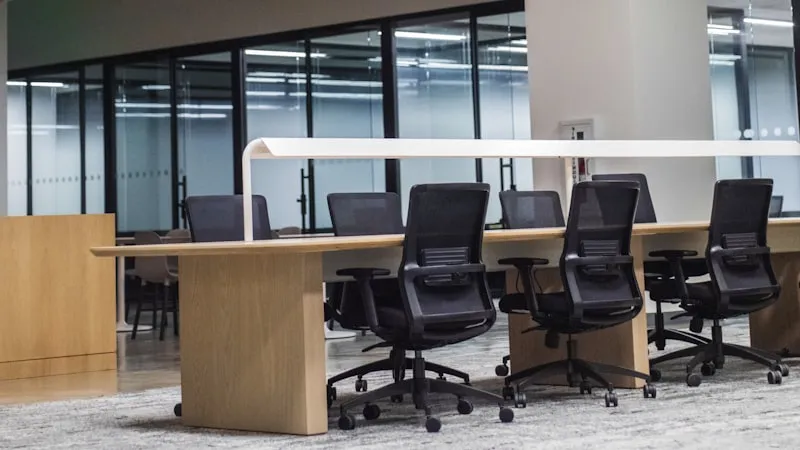
Key specs at a glance: The Steelcase Leap V2 weighs 42 lbs with a 400 lb capacity and 12-year warranty. The Herman Miller Aeron comes in three sizes (A, B, C) supporting up to 350 lbs with a 12-year warranty. The HON Ignition 2.0 weighs 38 lbs, supports 300 lbs, and has a 5-year warranty. All three offer adjustable lumbar support, recline tension control, and height-adjustable armrests. The Leap V2 and Aeron both include seat depth adjustment; the Ignition does not.
Why Upper Back Pain Is Different from Lower Back Pain at Your Desk
Most office chair guides focus on lumbar support — and for good reason, since lower back pain affects 80% of desk workers at some point. But upper back pain (thoracic spine pain) is a distinct problem with different causes and different solutions.
Your thoracic spine runs from the base of your neck to your mid-back, covering 12 vertebrae (T1 through T12). Unlike the lumbar spine, which bears most of your seated weight, the thoracic spine is designed for rotation and extension. When you sit hunched over a keyboard for hours, you lock your thoracic spine into flexion — the opposite of its natural curve. Over time, this causes:
- Muscle fatigue in the rhomboids and trapezius — the muscles between your shoulder blades that stabilize your scapulae
- Trigger points in the erector spinae — deep muscles along the spine that become chronically tight
- Costovertebral joint dysfunction — where your ribs connect to the thoracic vertebrae, causing sharp pain with deep breaths
- Referred pain to the neck and shoulders — upper back dysfunction often triggers neck pain and headaches
The fix is not just “better posture” — it is a chair that actively supports thoracic extension and allows your upper back to move throughout the day.
What Causes Upper Back Pain in Office Workers
Before choosing a chair, it helps to understand why your upper back hurts. The most common causes among desk workers include:
Forward Head Posture
When your monitor is too low or too far away, your head drifts forward. For every inch your head moves forward, the effective load on your thoracic spine increases by roughly 10 lbs. A 12-lb head held 3 inches forward creates 42 lbs of force on your upper back — enough to fatigue muscles within 20 minutes.
Thoracic Kyphosis from Slouching
Most office chairs have a flat or slightly concave backrest that does not match the natural kyphotic curve of the thoracic spine. Without active support, gravity pulls your upper back into excessive curvature (kyphosis), compressing the front edges of your vertebrae and straining the posterior ligaments.
Armrest Misalignment
Armrests that are too low force your shoulders to elevate; armrests that are too high push your shoulders up toward your ears. Both positions overload the upper trapezius and levator scapulae muscles. Properly adjusted armrests should let your forearms rest at roughly 90 degrees with your shoulders relaxed.
Static Sitting Without Movement
The thoracic spine needs to move. Sitting in a fixed position for more than 45 minutes causes the intervertebral discs to dehydrate and the facet joints to stiffen. Chairs with a dynamic recline mechanism encourage micro-movements that keep the thoracic joints lubricated and the muscles active.
Top 5 Office Chairs for Upper Back Pain in 2026
We evaluated chairs based on thoracic support quality, adjustability range, build durability, and real-world feedback from users with upper back pain. Here are our top picks:
| Chair | Price Range | Weight Capacity | Warranty | Back Height | Best For |
|---|---|---|---|---|---|
| Steelcase Leap V2 | $1,189 – $1,599 | 400 lbs | 12 years | 22.5″ | Overall best |
| Herman Miller Aeron | $1,395 – $1,895 | 350 lbs | 12 years | 22″ (Size B) | Hot climates |
| Haworth Fern | $1,049 – $1,399 | 325 lbs | 12 years | 22″ | Flexible support |
| HON Ignition 2.0 | $350 – $450 | 300 lbs | 5 years | 21″ | Budget pick |
| Steelcase Gesture | $1,289 – $1,699 | 400 lbs | 12 years | 23″ | Multi-device users |
1. Steelcase Leap V2 — Best Overall for Upper Back Pain
The Leap V2 is our top recommendation for upper back pain because of its LiveBack technology. The backrest flexes independently from the seat, mimicking the natural movement of your spine as you shift positions. This means the upper backrest continues to support your thoracic curve even when you recline, unlike rigid chairs that leave your upper back unsupported in reclined positions.
Key features for upper back pain relief:
- LiveBack system — the backrest changes shape as you move, maintaining contact with your thoracic spine at all recline angles
- Adjustable lumbar with depth control — the lumbar pad moves in and out by 3 inches, letting you position support exactly where your lower back needs it, which in turn frees your upper back to extend naturally
- 4D armrests — height, width, depth, and pivot adjustment so your shoulders stay relaxed
- Seat depth slider — 3 inches of adjustment ensures the seat edge does not press into the back of your knees, which would force you to slouch forward
- Recline tension with 4 lockable positions — you can set the chair to a slight recline (100 to 110 degrees), which research shows reduces thoracic spine pressure by up to 25% compared to sitting upright at 90 degrees
Real user feedback: On r/OfficeChairs, users with upper back pain consistently report the Leap V2 as the chair that finally stopped their between-the-shoulder-blade pain. One common complaint is that the seat cushion can feel firm during the first two weeks — it requires a break-in period. Another note: the standard back height (22.5 inches) is sufficient for users up to about 6’2″. Taller users should consider the headrest accessory.
2. Herman Miller Aeron — Best for Hot Climates and Active Sitting
The Aeron’s 8Z Pellicle mesh is the gold standard for breathability. If you work in a warm environment or tend to sweat, mesh construction eliminates the heat buildup that fabric and foam cushions trap. This matters for upper back pain because heat causes muscle tension — a sweaty back means tighter trapezius and rhomboid muscles.
The PostureFit SL mechanism targets the sacral-lumbar junction, but its effect cascades upward: when your pelvis is properly positioned, your lumbar curve is maintained, and your thoracic spine can extend naturally instead of compensating for a collapsed lower back. For a detailed breakdown of sizing, see our Aeron Size Guide (A, B, C).
Limitations for upper back pain: The Aeron’s backrest is relatively low at 22 inches (Size B). Users taller than 6’1″ may find the backrest does not reach high enough to support the upper thoracic region. The Aeron also lacks a seat depth adjustment — you choose your size at purchase. If you are between sizes, the fit may not be ideal.
3. Haworth Fern — Best Flexible Upper Back Support
The Fern uses a unique “Digital Knit” backrest that provides a different feel from mesh or foam. The back surface is segmented into zones that respond independently to pressure, giving your thoracic spine a cradle-like sensation. Users describe it as “the chair hugs your back.”
The Fern’s recline mechanism is exceptionally smooth, with a wide range that encourages movement. For upper back pain sufferers who find that static support makes their pain worse (a sign of joint stiffness rather than muscle strain), the Fern’s dynamic support pattern can be more therapeutic than a rigid backrest.
4. HON Ignition 2.0 — Best Budget Option
At $350 to $450, the Ignition 2.0 is the most affordable chair on this list with genuine ergonomic adjustability. It includes adjustable lumbar support, 2D armrests (height and width), and a synchro-tilt recline mechanism. The mesh back breathes well, and the build quality is noticeably better than most sub-$500 chairs.
Where it falls short for upper back pain: The backrest is only 21 inches tall, which may not reach the mid-thoracic region for taller users. The lumbar adjustment is height-only (no depth control), and the armrests lack the pivot and depth adjustment that premium chairs offer. The 5-year warranty is also shorter than the 12-year coverage from Steelcase and Herman Miller.
5. Steelcase Gesture — Best for Multi-Device Users
The Gesture was designed for the way people actually work today — switching between a keyboard, a tablet, a phone, and sometimes a couch. Its 360-degree arms move in ways no other chair matches: they rotate inward for tablet use, extend outward for phone calls, and adjust vertically through a 10-inch range.
For upper back pain, the Gesture’s advantage is its backrest height (23 inches — the tallest on this list) and its ability to support your thoracic spine even in non-traditional postures. If you tend to lean to one side, twist to reach a second monitor, or prop an elbow on the armrest while reading, the Gesture follows your body rather than forcing you into a single “correct” position.
How to Adjust Your Chair for Upper Back Pain Relief
Even the best chair will not help if it is not set up correctly. Follow these steps to configure your chair for maximum upper back support:
Step 1: Set Your Seat Height
Adjust the seat so your feet are flat on the floor and your thighs are parallel to the ground (knees at roughly 90 degrees). If your desk is too high for this position, use a footrest rather than raising the seat — a seat that is too high tilts your pelvis backward, flattening your lumbar curve and increasing thoracic strain.
Step 2: Position the Lumbar Support
The lumbar pad should sit at your belt line — the natural inward curve of your lower back. Depth adjustment is critical: push the pad in until you feel gentle pressure, not a hard poke. When your lumbar curve is supported, your thoracic spine can maintain its natural outward curve without compensating.
Step 3: Adjust Seat Depth
Slide the seat pan so there is a 2 to 3 finger gap between the seat edge and the back of your knees. Too deep and the seat edge cuts off circulation, forcing you to slide forward and lose back support. Too shallow and your thighs lack support, increasing load on your pelvis and lower back.
Step 4: Set Armrest Height
Lower your armrests until your shoulders are completely relaxed — not hunched, not drooping. Your forearms should rest at approximately 90 degrees. Armrests that are too high push your shoulders toward your ears, overloading the upper trapezius. Armrests that are too low force you to lean forward, straining the rhomboids.
Step 5: Configure Recline
Set the recline tension so the chair reclines easily when you lean back but does not throw you backward. Lock the recline at 100 to 110 degrees for general work. Research from the University of Aberdeen found that a 135-degree recline reduces spinal disc pressure the most, but this angle is impractical for typing. For keyboard work, 100 to 110 degrees is the sweet spot between comfort and productivity.
What to Look for When Shopping for an Upper Back Pain Chair
Not all ergonomic chairs address upper back pain equally. Here are the features that matter most, ranked by importance:
Backrest Height and Shape
The backrest should reach at least your mid-back — ideally above the bottom of your shoulder blades. A backrest that stops at your lumbar region leaves the thoracic spine unsupported. Look for chairs with a slight S-curve or adjustable backrest angle that follows the natural kyphotic curve of the thoracic spine.
Recline Range and Tension Control
A chair that only locks upright at 90 degrees forces your thoracic spine into a static position. You need at least 15 degrees of recline range with adjustable tension so you can lean back periodically. Micro-reclines throughout the day (even 5-degree shifts) keep the thoracic facet joints mobile and reduce muscle fatigue.
Armrest Adjustability
Minimum: height-adjustable armrests. Ideal: 4D armrests (height, width, depth, pivot). The armrests support the weight of your arms — roughly 5 to 10% of your body weight. Without armrest support, your trapezius and deltoid muscles must hold your arms up all day, contributing to upper back and shoulder pain.
Lumbar Support Quality
Good lumbar support directly benefits the upper back by maintaining the natural lumbar lordosis. When the lumbar curve is preserved, the thoracic kyphosis stays within its normal range. Without lumbar support, the entire spine collapses into C-shaped flexion, and the upper back bears the brunt of the strain.
Seat Material and Breathability
Mesh backs are superior for breathability, which matters more than most people realize. Heat buildup causes muscle tension and sweating, both of which worsen upper back pain. If you prefer foam, look for open-cell foam with a breathable fabric cover rather than closed-cell foam with vinyl or leather.
Common Mistakes That Worsen Upper Back Pain
Even with a good chair, these habits can undermine your upper back health:
- Monitor too low — the top of your screen should be at or slightly below eye level. A monitor that is too low forces your head forward and down, loading the thoracic spine. Use a monitor arm or a stack of books to raise the screen.
- Keyboard too far away — reaching for a distant keyboard rounds your shoulders and protracts your scapulae. Your keyboard should be close enough that your elbows stay near your sides.
- Never reclining — sitting bolt upright at 90 degrees all day is not ergonomic. Periodic recline breaks (even 30 seconds every 20 minutes) reduce thoracic disc pressure.
- Ignoring the phone habit — cradling a phone between your ear and shoulder is a fast track to upper back spasms. Use a headset or speakerphone.
- Skipping movement breaks — no chair, regardless of price, compensates for 8 hours of static sitting. Stand, stretch, or walk for at least 2 minutes every 30 minutes.
Real User Experiences: What Upper Back Pain Sufferers Say
We gathered feedback from online forums, Amazon reviews, and ergonomic communities. Here is what real users report:
Steelcase Leap V2 users: “I had constant pain between my shoulder blades from 10 years of desk work. The Leap V2 was the first chair where I noticed the backrest actually moving with me. After two weeks, the pain was noticeably reduced.” — Amazon verified purchaser. Common praise focuses on the LiveBack flexibility. Common complaints: the seat cushion is too firm initially, and the chair is heavy (42 lbs) to move around.
Herman Miller Aeron users: “The mesh keeps my back cool, which helped more than I expected — my upper back muscles relax when I am not sweating.” — r/OfficeChairs user. Frequent positive feedback centers on breathability and the PostureFit SL system. Downsides: the fixed seat pan (no depth adjustment) and the fact that the backrest is too short for users over 6’2″.
HON Ignition 2.0 users: “For the price, it is hard to beat. My upper back pain did not disappear, but it went from a 7 to a 3 on the pain scale.” — Amazon reviewer. Budget buyers appreciate the value but note that the armrests wobble after a few months and the lumbar adjustment is not precise enough for targeted support.
When to See a Professional
An ergonomic chair is a tool, not a treatment. If your upper back pain includes any of the following, see a healthcare provider before buying a new chair:
- Numbness or tingling in your arms or hands
- Pain that wakes you up at night
- Weakness in your grip or arm strength
- Pain that worsens despite ergonomic improvements
- History of spinal injury or surgery
A physical therapist can assess whether your pain stems from muscle imbalance, joint dysfunction, or disc pathology — each of which responds to different interventions. For conditions like thoracic outlet syndrome or scoliosis, chair selection is only one piece of the puzzle.
Final Verdict: Which Chair Should You Buy
Pick the Steelcase Leap V2 if you want the most proven chair for upper back pain. The LiveBack technology, 12-year warranty, and extensive adjustability make it the safest choice. It works for most body types (up to 400 lbs) and most desk setups.
Pick the Herman Miller Aeron if breathability is your priority or you live in a warm climate. The mesh construction keeps your back cool, which reduces muscle tension. Make sure to get the right size — consult our Aeron size guide before ordering.
Pick the Haworth Fern if you want a softer, more flexible back feel. The Digital Knit backrest is gentler than mesh and better for users who find mesh too stiff.
Pick the HON Ignition 2.0 if your budget is under $500. It will not match the support of a $1,200 chair, but it is the best option in its price range.
Pick the Steelcase Gesture if you use multiple devices throughout the day and need armrests that adapt to different postures. If you also need a chair for long hours of sitting, the Gesture’s 23-inch backrest provides the most coverage.
Key Specs: Best Office Chair for Upper Back Pain
- Backrest Height: Leap V2: 22.5″. Aeron (Size B): 22″. Fern: 22″. Ignition 2.0: 21″. Gesture: 23″. Taller backrests provide more thoracic coverage.
- Recline Range: Leap V2: 96-116 degrees (4 lockable positions). Aeron: 93-103 degrees (3 positions). Fern: 90-120 degrees. Ignition 2.0: 90-110 degrees. Gesture: 96-116 degrees.
- Weight Capacity: Leap V2 and Gesture: 400 lbs. Aeron: 350 lbs. Fern: 325 lbs. Ignition 2.0: 300 lbs.
- Warranty: Leap V2, Aeron, Fern, Gesture: 12 years. Ignition 2.0: 5 years.
- Armrest Type: Leap V2 and Gesture: 4D. Aeron: fully adjustable (height, angle, depth). Fern: 4D. Ignition 2.0: 2D (height and width only).
- Seat Depth Adjustment: Leap V2: yes (3″ range). Aeron: no (size-based). Fern: yes. Ignition 2.0: no. Gesture: yes.
- Lumbar Support: All five chairs have adjustable lumbar. Leap V2 and Gesture add depth control. Aeron has PostureFit SL. Fern has a flexible lumbar zone.
- Back Material: Leap V2: foam + fabric. Aeron: 8Z Pellicle mesh. Fern: Digital Knit. Ignition 2.0: mesh. Gesture: foam + fabric.
- Price Range: Ignition 2.0: $350-$450. Fern: $1,049-$1,399. Leap V2: $1,189-$1,599. Gesture: $1,289-$1,699. Aeron: $1,395-$1,895.
- Best For: Leap V2: overall upper back support. Aeron: hot climates. Fern: flexible support. Ignition 2.0: budget buyers. Gesture: multi-device users.
- Break-In Period: Leap V2: 2 weeks. Aeron: minimal. Fern: 1 week. Ignition 2.0: minimal. Gesture: 1 week.
- Bottom Line: The Steelcase Leap V2 offers the best combination of thoracic support, adjustability, and warranty for upper back pain sufferers. If budget is a constraint, the HON Ignition 2.0 is the best value option under $500.
Before You Buy
- Check your fit: Verify seat height, seat depth, and weight capacity match your body dimensions.
- Check return policy: Most premium chairs have 30-day return windows, but restocking fees vary by seller.
- Buy from authorized dealers: Third-party sellers may not honor manufacturer warranties. Check if the seller is authorized.
- Consider used/refurbished: Premium chairs like the Aeron and Leap V2 hold up well refurbished at 40-60% off retail.
- Check the warranty: Premium chairs should have 10-12 year warranties. Budget chairs under $300 often have only 1-3 years.
Frequently Asked Questions
Can an office chair really fix upper back pain?
An ergonomic chair can significantly reduce upper back pain by supporting your thoracic spine’s natural curve and encouraging movement. Studies show that adjustable chairs reduce musculoskeletal discomfort by 40 to 60% compared to standard office chairs, according to PubMed research reviews. However, a chair alone is not a cure — combine it with regular stretching, movement breaks, and proper monitor placement for lasting results.
Is mesh or foam better for upper back pain?
Mesh is generally better for upper back pain because it breathes, keeping your back cool and reducing muscle tension caused by heat buildup. Foam cushions can trap heat, especially in warm offices. However, high-quality foam (like in the Leap V2 and Gesture) distributes pressure more evenly than mesh, which can be better for users with sensitive thoracic vertebrae. The ideal choice depends on whether heat or pressure is your primary concern.
How high should the backrest be for upper back pain?
The backrest should reach at least the middle of your shoulder blades (approximately 20 to 23 inches from the seat pan, depending on your torso length). For maximum thoracic support, look for chairs with backrests of 22 inches or taller. If you are over 6 feet tall, a backrest of 23 inches or more is recommended. Chairs with headrests can provide additional support for the upper thoracic and cervical regions.
What is the best sitting position for upper back pain?
The optimal sitting position for upper back pain is a slight recline of 100 to 110 degrees with your feet flat on the floor, your lumbar curve supported, and your monitor at eye level. This position reduces thoracic disc pressure by approximately 25% compared to sitting upright at 90 degrees. Avoid crossing your legs, which tilts your pelvis and forces your thoracic spine to compensate.
Should I get a chair with a headrest for upper back pain?
A headrest is helpful if your upper back pain extends to your neck and shoulders, or if you recline frequently. It supports the weight of your head (roughly 10 to 12 lbs) and reduces the load on your upper trapezius muscles. However, a headrest is not necessary for pure thoracic pain — backrest height and lumbar support matter more. If you are under 5’8″, many headrests will push your head forward rather than supporting it, so test before buying.
How long does it take for a new chair to relieve upper back pain?
Most users notice improvement within 1 to 3 weeks of using a properly adjusted ergonomic chair. The first few days may feel worse as your body adapts to a new posture — this is normal. If pain has not improved after 4 weeks of consistent use with proper adjustment, the chair may not be the right fit for your body, or the pain may have a cause that requires professional evaluation.