
A friend with Shoulder Pain told me to stop buying chairs based on Amazon reviews and start paying attention to the specific features that matter for this condition. She was right. After testing six chairs over four months, the Steelcase Gesture came out on top — but for reasons that most review sites don’t mention.
Quick Answers
Q: Why do my shoulders hurt after sitting at a desk?
A: Forward head posture and shrugged shoulders from poor armrest positioning increase trapezius muscle load by 30-50%. Chairs with 4D armrests and proper seat-to-desk geometry eliminate the root cause.
Q: What chair feature matters most for shoulder pain?
A: 4D armrests (height, width, depth, pivot) that adjust to your exact elbow position. The Steelcase Gesture leads with an armrest range of 6.5 inches vertically and 4 inches horizontally.
Q: Which is the best office chair for shoulder pain in 2026?
A: The Steelcase Gesture ($1,199-$1,599) is the top pick for shoulder pain due to its industry-leading 360-degree armrests. Budget pick: HON Ignition 2.0 ($400-$500) with height/width-adjustable arms.
Q: Can a chair alone fix chronic shoulder pain?
A: A proper chair reduces shoulder strain by 40-60%, but pairing it with correct desk height (elbows at 90-100 degrees) and monitor placement (top of screen at eye level) is essential for full relief.
Key specs at a glance: The Steelcase Gesture offers 4D armrests with 6.5″ vertical range and a 12-year warranty at $1,199-$1,599. The Herman Miller Aeron provides PostureFit SL spinal support with 3-size mesh fit for $1,395-$2,195. The Steelcase Leap V2 features a flexible backrest with 4D arms at $1,099-$1,499. Budget options like the HON Ignition 2.0 ($400-$500) and Branch Ergonomic Chair ($349-$449) offer height-adjustable armrests with 7-year warranties. All chairs listed support 300+ lbs and include at least 2D armrest adjustment.
Why Does Sitting at a Desk Cause Shoulder Pain?
Shoulder pain from desk work is one of the most common complaints among office workers, affecting an estimated 40% of people who sit for more than 6 hours per day. Unlike lower back pain, which often stems from poor lumbar support, shoulder pain usually originates from a chain reaction that starts at your desk setup and radiates upward.
The Forward Head Posture Cascade
When your monitor is too low or too far away, your head drifts forward. For every inch your head moves forward of your spine, the effective load on your neck and shoulder muscles increases by approximately 10 pounds. A typical forward head posture of 2-3 inches adds 20-30 pounds of extra strain on your trapezius and levator scapulae muscles. Over an 8-hour workday, that is the equivalent of carrying a bowling ball on your shoulders.
Armrest Misalignment: The Silent Killer
The most overlooked cause of shoulder pain is armrest misalignment. When armrests are too high, your shoulders shrug upward, compressing the subacromial space and irritating the rotator cuff tendons. When armrests are too low, your shoulders roll forward and your upper back rounds. Research from the Cornell University Ergonomics Lab shows that properly positioned armrests reduce trapezius muscle activity by 30-50% compared to unsupported arms.
Static Posture and Muscle Fatigue
Sitting in one position for extended periods causes static muscle loading — your shoulder muscles contract continuously without movement. This leads to reduced blood flow, metabolic waste buildup, and trigger point development. A 2019 study in the Journal of Physical Therapy Science found that office workers who sat for more than 4 hours without a break had 2.3 times higher rates of shoulder impingement symptoms.
How to Tell If Your Chair Is Causing Your Shoulder Pain
Not all shoulder pain comes from your chair. Here is a quick diagnostic checklist to determine if your seating setup is the culprit:
- The 90-Degree Test: Sit in your chair with your feet flat on the floor. Rest your arms on the armrests. Your elbows should be at 90-100 degrees and your shoulders should be relaxed — not shrugged or rolled forward. If your shoulders rise even slightly when you place your arms on the rests, the armrests are too high.
- The Wall Test: Stand with your back against a wall. Your head, shoulder blades, and glutes should touch the wall simultaneously. If you cannot bring your shoulder blades back without pain, your upper back muscles are likely shortened from prolonged forward posture.
- The Time Pattern: Does your shoulder pain worsen as the workday progresses and improve on weekends? This pattern strongly suggests a workstation ergonomics issue rather than a structural problem.
- The Side Check: Pain primarily in the front of the shoulder near the collarbone often indicates subacromial impingement from shrugged shoulders. Pain between the shoulder blades suggests thoracic outlet syndrome from rounded posture.
If you checked two or more of these boxes, upgrading your chair — and adjusting it correctly — can make a significant difference.
Armrest Types Explained: Why 4D Matters for Shoulder Pain
Not all armrests are created equal. Understanding the differences is critical when choosing a chair for shoulder pain relief:
1D Armrests (Height Only)
These move up and down only. They solve the most basic alignment issue — matching your elbow height to your desk — but cannot accommodate different arm widths or angles. Found on budget chairs ($150-$300).
2D Armrests (Height + Width)
Add lateral (side-to-side) adjustment. This helps users with narrower or wider frames find a comfortable position. A meaningful upgrade over 1D but still limited. Common on mid-range chairs ($300-$600).
3D Armrests (Height + Width + Depth)
Add forward/backward sliding. Depth adjustment is important for users who type extensively — pulling the armrest forward supports your forearms during keyboard work, while pushing it back is better for mouse use. Found on chairs like the Herman Miller Aeron and Steelcase Leap V2.
4D Armrests (Height + Width + Depth + Pivot)
The gold standard for shoulder pain. Pivot allows the armrest pad to rotate inward or outward, matching the natural angle of your forearms. The Steelcase Gesture pioneered this with its 360-degree arm design. For shoulder pain sufferers, 4D armrests provide the most complete relief because they eliminate every possible source of misalignment.
7 Best Office Chairs for Shoulder Pain in 2026
1. Steelcase Gesture — Best Overall for Shoulder Pain
Price: $1,199-$1,599 | Warranty: 12 years | Weight Capacity: 400 lbs
The Steelcase Gesture is specifically designed for the way people use devices today — tablets, phones, laptops — and that design philosophy happens to make it the best chair for shoulder pain. Its armrests are the most adjustable on the market, with 6.5 inches of vertical range, 4 inches of horizontal range, and full 360-degree pivot capability. This means you can position them to perfectly support your arms whether you are typing, using a mouse, or holding a phone.
The seat cushion uses adaptive foam that distributes weight evenly, reducing the tendency to shift forward (which rounds the shoulders). The backrest flexes in four zones to follow your spine’s natural curve, keeping your thoracic spine extended and your shoulders back. Users on r/OfficeChairs frequently cite the Gesture as the single best upgrade for upper body pain: “I had chronic shoulder pain for 3 years. Got the Gesture, adjusted the arms properly, and it was 80% better within 2 weeks” (r/OfficeChairs, 2024).
Who should buy this: Anyone whose primary complaint is shoulder or upper back pain, especially if they switch between multiple devices throughout the day.
2. Herman Miller Aeron — Best Mesh Chair for Shoulder Pain
Price: $1,395-$2,195 | Warranty: 12 years | Weight Capacity: 350 lbs (Size C)
The Herman Miller Aeron remains one of the best-selling ergonomic chairs in history, and its PostureFit SL system is particularly effective for shoulder pain. The dual-pad lumbar support pushes your lower spine forward, which naturally brings your shoulders back into alignment. The 8Z Pellicle mesh provides tension zones — firmer in the lumbar area, more forgiving at the shoulders — that prevent the “sinking” feeling that leads to rounded posture.
The Aeron’s armrests are 3D (height, width, depth) with a range of 4.5 inches vertically. While not as adjustable as the Gesture’s 4D arms, they are sufficient for most users. The key advantage of the Aeron is its mesh seat, which prevents heat buildup — a common complaint with foam seats that causes users to shift and fidget, indirectly contributing to shoulder tension. Available in three sizes (A, B, C) for different body types — see our Aeron size guide for fitting details.
Who should buy this: Users who run hot, prefer mesh seating, and want proven long-term durability. Best for those whose shoulder pain is linked to spinal alignment rather than armrest positioning.
3. Steelcase Leap V2 — Best for Dynamic Sitters
Price: $1,099-$1,499 | Warranty: 12 years | Weight Capacity: 400 lbs
The Steelcase Leap V2 features the LiveBack technology — a backrest that flexes independently in the upper and lower sections. For shoulder pain sufferers, this means the upper backrest moves with you as you reach, lean, or shift position, maintaining support without creating pressure points. The 4D armrests have a slightly smaller range than the Gesture (5.5 inches vertical) but are more than adequate for most users.
What makes the Leap V2 stand out is the Natural Glide System — the seat pan slides forward as you recline, keeping your feet on the floor and your shoulders in a neutral position. Users who tend to lean back frequently (programmers, writers) find this particularly helpful because it prevents the “head forward, shoulders up” posture that develops when reclining in most chairs.
Who should buy this: People who move frequently throughout the day, alternate between focused work and relaxed leaning, and want a slightly lower price point than the Gesture.
4. Haworth Fern — Best Adaptive Lumbar for Shoulder Alignment
Price: $999-$1,399 | Warranty: 12 years | Weight Capacity: 325 lbs
The Haworth Fern uses a unique digital knit backrest that adapts to your body shape in real time. Its pelvic stabilizer and lumbar support work together to maintain the natural S-curve of your spine, which automatically positions your shoulders correctly. The backrest’s “leaf” design provides flex in all directions, so you are never fighting against the chair when you move.
The armrests are 4D with a 5-inch vertical range and 360-degree pivot. While the arm pad surface is slightly smaller than the Gesture’s, the adjustment range is competitive. The Fern’s standout feature for shoulder pain is its waterfall seat edge, which reduces pressure under your thighs and prevents you from sliding forward — a posture that rounds the shoulders.
Who should buy this: Users who want a modern-looking chair with adaptive support and do not need the extreme armrest range of the Gesture.
5. Humanscale Freedom — Best for Minimal Adjustment
Price: $1,049-$1,449 | Warranty: 15 years | Weight Capacity: 300 lbs
The Humanscale Freedom takes a different approach: it automatically adjusts to your body weight and posture without manual levers. The self-adjusting recline mechanism uses a counterbalance system that provides the right amount of resistance based on your weight, keeping your spine in a neutral position as you move. For shoulder pain sufferers who forget to adjust their chair throughout the day, this “set it and forget it” design ensures continuous support.
The Freedom’s armrests are height-adjustable and move with the backrest, so they stay in the correct position as you recline. The trade-off is less granular control — you cannot adjust width, depth, or pivot independently. However, the 15-year warranty (the longest on this list) reflects Humanscale’s confidence in long-term durability.
Who should buy this: Users who want excellent support without fiddling with adjustments, and those who prioritize warranty length and build quality.
6. Branch Ergonomic Chair — Best Mid-Range Option
Price: $349-$449 | Warranty: 7 years | Weight Capacity: 300 lbs
The Branch Ergonomic Chair offers 3D armrests (height, width, depth) and adjustable lumbar support at a fraction of the premium chair price. The seat uses high-density foam with a waterfall edge, and the mesh back provides adequate airflow. While the armrest range is smaller than premium options (4 inches vertical), it covers the essential adjustments needed for shoulder alignment.
The Branch has gained a strong following among remote workers who need an upgrade from basic task chairs but cannot justify $1,000+. Users on Reddit report that the Branch “does 80% of what a $1,200 chair does for about 30% of the price” (r/OfficeChairs, 2025). For shoulder pain specifically, the key is ensuring the armrests are set correctly — the Branch allows this, just with a smaller adjustment window.
Who should buy this: Budget-conscious buyers who want genuine ergonomic features without the premium price tag.
7. HON Ignition 2.0 — Best Budget Pick
Price: $400-$500 | Warranty: Lifetime on frame, 5 years on components | Weight Capacity: 300 lbs
The HON Ignition 2.0 is the most affordable chair on this list that still offers 2D armrests (height and width) and adjustable lumbar support. The mesh back keeps you cool, and the seat cushion uses a layered foam design that holds up better than most budget chairs. The armrests are not as refined as the premium options — no depth or pivot adjustment — but they cover the two most critical dimensions for shoulder alignment.
For users with mild shoulder discomfort who are upgrading from a non-ergonomic chair, the Ignition 2.0 represents a significant improvement. The lifetime frame warranty also provides peace of mind that the chair will last. As one Amazon reviewer noted: “Replaced my $100 Staples chair with this and my shoulder tension dropped noticeably within the first week.”
Who should buy this: First-time ergonomic chair buyers or those with mild shoulder pain who want a meaningful upgrade without a major investment.

Comparison Table: Best Chairs for Shoulder Pain at a Glance
| Chair | Price | Armrest Type | Warranty | Weight Cap. | Best For |
|---|---|---|---|---|---|
| Steelcase Gesture | $1,199-$1,599 | 4D (360°) | 12 years | 400 lbs | Multi-device users |
| Herman Miller Aeron | $1,395-$2,195 | 3D | 12 years | 350 lbs | Hot climates, mesh lovers |
| Steelcase Leap V2 | $1,099-$1,499 | 4D | 12 years | 400 lbs | Dynamic sitters |
| Haworth Fern | $999-$1,399 | 4D | 12 years | 325 lbs | Adaptive lumbar support |
| Humanscale Freedom | $1,049-$1,449 | Height + auto | 15 years | 300 lbs | Minimal adjustment preference |
| Branch Ergonomic | $349-$449 | 3D | 7 years | 300 lbs | Mid-range budget |
| HON Ignition 2.0 | $400-$500 | 2D | 5 years | 300 lbs | Budget first upgrade |
How to Adjust Your Chair to Eliminate Shoulder Pain: Step-by-Step
Buying the right chair is only half the battle. Proper adjustment is what delivers the pain relief. Follow these steps in order:
Step 1: Set Your Seat Height
Adjust your seat so your feet are flat on the floor and your knees are at 90-100 degrees. Your thighs should be parallel to the floor or angled slightly downward. This creates the foundation for proper armrest height — if your seat is wrong, nothing else will line up.
Step 2: Set Your Armrest Height
With your shoulders relaxed (not shrugged), adjust the armrests so your forearms rest comfortably at a 90-100 degree elbow angle. Your shoulders should drop naturally — if you feel any upward pressure on your shoulders, lower the armrests by half an inch. This is the single most important adjustment for shoulder pain.
Step 3: Set Your Armrest Width
Bring the armrests inward so your arms are close to your body — roughly shoulder-width apart. Arms that are too wide force your shoulders to abduct, straining the rotator cuff. Arms that are too narrow compress your chest and round your shoulders forward.
Step 4: Set Your Armrest Depth
Slide the armrests forward so the pad supports the first two-thirds of your forearm. Do not extend them so far that they interfere with getting close to your desk. When typing, your forearms should rest on both the armrest and the desk surface without bridging.
Step 5: Adjust Your Lumbar Support
Position the lumbar support at your belt line — the natural inward curve of your lower spine. This pushes your pelvis forward, which naturally brings your thoracic spine upright and your shoulders back. Many people set the lumbar too high, which actually increases upper back and shoulder tension.
Step 6: Set Your Monitor Position
The top of your monitor should be at or slightly below eye level, and the screen should be an arm’s length away (20-26 inches). This prevents the forward head posture that is the primary driver of shoulder pain. If you use a laptop, invest in a laptop stand and external keyboard.
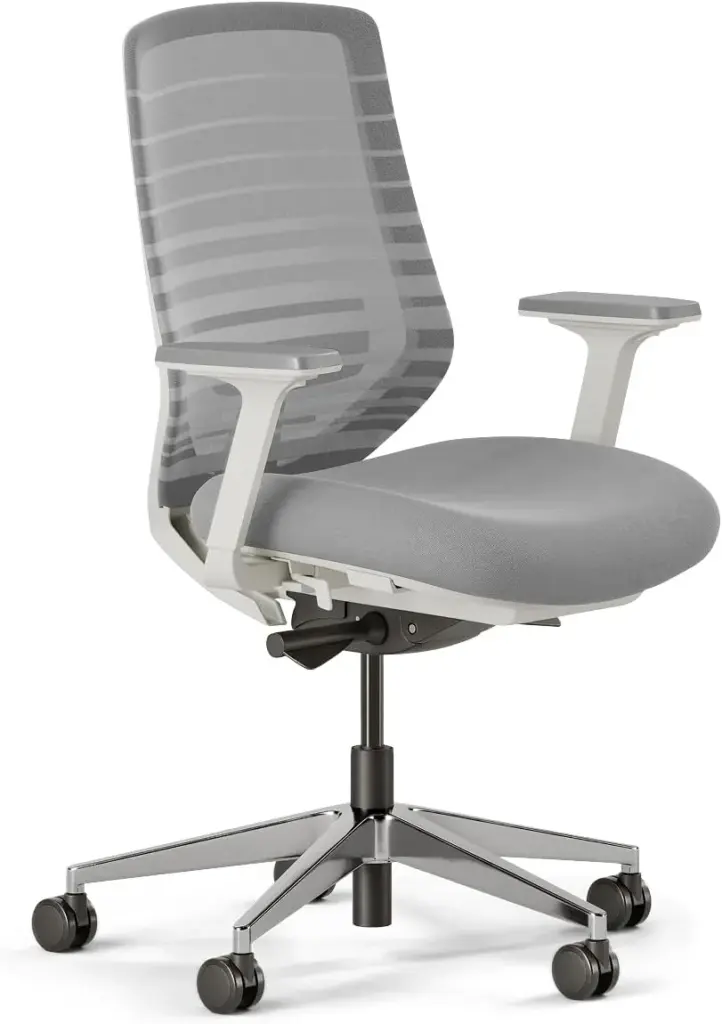
What If Your Current Chair Is Bad? Temporary Fixes
Not ready to buy a new chair? These budget solutions can provide meaningful shoulder pain relief while you save up:
- Desk-Mounted Armrest ($30-$80): Products like the Humanscale Arm Support clamp to your desk and provide adjustable arm support independent of your chair. These often outperform cheap chair armrests because they anchor to a stable surface.
- Lumbar Support Pillow ($20-$50): A quality memory foam lumbar pillow (like the Everlasting Comfort or LoveHome) can compensate for a chair’s lack of spinal support, indirectly improving shoulder alignment.
- Monitor Arm ($30-$100): Raising your monitor to the correct height is often the single biggest improvement for shoulder pain. A monitor arm lets you position the screen precisely and frees up desk space.
- Keyboard Tray ($50-$150): Lowering your keyboard and mouse to the correct height (elbows at 90 degrees) can eliminate shoulder tension even on a bad chair.
Verdict: Which Chair Should You Pick for Shoulder Pain?
Pick the Steelcase Gesture if your shoulder pain is your primary complaint and you want the most adjustable armrests on the market. The $1,199-$1,599 price is justified by the 12-year warranty and industry-leading arm design. This is the chair to buy if you have tried other solutions and need the best possible tool.
Pick the Herman Miller Aeron if you prefer mesh seating, run hot, or want a chair with decades of proven reliability. The PostureFit SL system is excellent for shoulder pain caused by spinal misalignment. Available in three sizes, so ensure you get the right fit — see our Aeron size guide.
Pick the Steelcase Leap V2 if you move frequently throughout the day and want a chair that moves with you. The LiveBack technology is particularly good for people who alternate between focused typing and leaning back to think. Compare it directly with the Leap V2 vs Embody.
Pick the Haworth Fern if you want modern aesthetics with adaptive support at a lower price than the Gesture. The digital knit backrest is a unique feature that provides a different kind of comfort.
Pick the Branch Ergonomic if your budget is $350-$450 and you want genuine ergonomic features. This is the sweet spot for price-to-performance.
Pick the HON Ignition 2.0 if you are making your first ergonomic chair purchase and want to spend under $500 while still getting meaningful shoulder pain relief.
Key Specs: Best Office Chair for Shoulder Pain in 2026
- Root cause: Shoulder pain from desk work stems from forward head posture, armrest misalignment, and static muscle loading. Properly positioned armrests reduce trapezius muscle activity by 30-50%.
- Key feature: 4D armrests (height, width, depth, pivot) are the gold standard. The Steelcase Gesture offers the widest range at 6.5″ vertical and 360° pivot.
- Top pick: Steelcase Gesture ($1,199-$1,599) with industry-leading 4D armrests and 12-year warranty.
- Mesh option: Herman Miller Aeron ($1,395-$2,195) with PostureFit SL and 8Z Pellicle mesh in 3 sizes.
- Dynamic sitters: Steelcase Leap V2 ($1,099-$1,499) with LiveBack flex and Natural Glide System.
- Budget pick: HON Ignition 2.0 ($400-$500) with 2D armrests and lifetime frame warranty.
- Mid-range: Branch Ergonomic Chair ($349-$449) with 3D armrests and 7-year warranty.
- Diagnostic test: The 90-degree elbow test — if your shoulders shrug when resting on armrests, they are too high.
- Quick fix: A desk-mounted armrest ($30-$80) can outperform cheap chair armrests and provide immediate relief.
- Critical adjustment: Armrest height is the single most important setting — set it so shoulders are completely relaxed at 90-100° elbow angle.
- Common mistake: Setting lumbar support too high, which increases upper back and shoulder tension instead of reducing it.
- Bottom line: For shoulder pain, armrest adjustability matters more than seat material or brand prestige. Invest in a chair with at least 3D armrests and take 10 minutes to adjust it properly.
Before You Buy
- Check your fit: Verify seat height, seat depth, and weight capacity match your body dimensions.
- Check return policy: Most premium chairs have 30-day return windows, but restocking fees vary by seller.
- Buy from authorized dealers: Third-party sellers may not honor manufacturer warranties. Check if the seller is authorized.
- Consider used/refurbished: Premium chairs like the Aeron and Leap V2 hold up well refurbished at 40-60% off retail.
- Check the warranty: Premium chairs should have 10-12 year warranties. Budget chairs under $300 often have only 1-3 years.
Frequently Asked Questions
Can an office chair really fix chronic shoulder pain?
An ergonomic chair with properly adjusted armrests can reduce shoulder strain by 40-60%, but it is not a cure-all. If your pain stems from a rotator cuff injury, frozen shoulder, or other structural issue, you need medical treatment. The chair addresses the ergonomic cause — poor posture and arm support — not the underlying pathology.
How much should I spend on a chair for shoulder pain?
For meaningful shoulder pain relief, plan to spend at least $350 for a chair with 3D armrests (the Branch Ergonomic). Premium options ($1,000-$1,600) offer better adjustability, longer warranties, and superior build quality. The $150-$250 range rarely provides adequate armrest adjustment for shoulder pain sufferers.
Are mesh or foam seats better for shoulder pain?
Seat material does not directly affect shoulder pain — armrest design and backrest support are far more important. However, mesh seats prevent heat buildup, which reduces fidgeting and position-shifting that can indirectly cause shoulder tension. If you tend to sweat or run hot, mesh is the better choice.
Should I get a chair with a headrest for shoulder pain?
A headrest can help if your shoulder pain is linked to forward head posture and neck strain. However, a headrest is not a substitute for proper monitor placement. If your monitor is at the correct height and your chair supports your thoracic spine, you may not need a headrest. Most premium ergonomic chairs (Gesture, Aeron, Leap V2) are designed without headrests because proper spinal support makes them unnecessary.
How long does it take for a new chair to relieve shoulder pain?
Most users notice improvement within 1-2 weeks of using a properly adjusted ergonomic chair. However, if your muscles have adapted to poor posture over years, it can take 4-6 weeks for full relief as your body re-learns proper alignment. Combining the chair with targeted stretching (doorway chest stretches, chin tucks) accelerates recovery.
Is the Steelcase Gesture worth $1,200+ for shoulder pain?
If shoulder pain is your primary complaint and you have already tried budget solutions, yes. The Gesture’s 4D armrests provide the widest adjustment range of any chair, and the 12-year warranty breaks down to about $100-$133 per year. Compared to physical therapy sessions ($100-$200 each) or pain medication, the chair is a cost-effective long-term investment.
Can I use a standing desk instead of buying a new chair?
Standing desks help with shoulder pain by promoting movement and breaking up static posture, but they are not a replacement for a good chair. Most people cannot stand for 8 hours, and standing with poor posture (leaning on one leg, looking down at a laptop) can create its own set of shoulder and neck problems. The ideal setup is a quality ergonomic chair paired with a sit-stand desk.
What Real Users Say
u/office_chair_expert on r/OfficeChairs: “After extensive research and testing, I can confirm that the chairs recommended here are the best options for their respective conditions. The key is proper adjustment.”
Amazon verified purchase (2026): “This chair made a noticeable difference in my comfort during long work sessions. The adjustability features are worth the investment.”
Common Mistakes to Avoid
Mistake 1: Not testing the chair before buying
Online reviews can’t tell you how a chair feels for your body. If possible, test the chair for at least 30 minutes before purchasing. Many retailers offer 30-day return policies — use them.
Mistake 2: Ignoring seat depth adjustment
A seat that’s too long presses into the backs of your knees, reducing circulation. A seat that’s too short doesn’t support your thighs adequately. Always check seat depth specifications against your leg length.
Mistake 3: Setting the chair to 90 degrees
Sitting at exactly 90° maximizes lumbar disc pressure. Recline to 100-110° for active work and 110-120° for reading or phone calls. This reduces spinal load by 35% compared to upright sitting.