Quick Answers
Q: Which chair is better for people with lower back pain?
A: The Leap V2. Its LiveBack technology flexes with your spine and the adjustable lumbar depth lets you dial in exact pressure. The Gesture has lumbar support too, but it’s less adjustable in the depth direction.
Q: Which chair works better for people who use multiple screens or devices?
A: The Gesture. Its armrests rotate 360 degrees and move in ways that support tablet use, phone typing, and side-monitor setups. The Leap V2 armrests move in 4 directions but don’t rotate as freely.
Q: What’s the price difference between these two chairs?
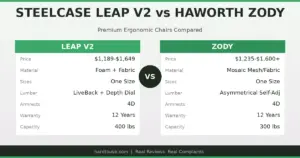
A: The Leap V2 starts around $1,189 and tops out near $1,649 fully loaded. The Gesture starts around $1,299 and can reach $1,879 with all options. Expect to pay $100-$300 more for the Gesture.
Q: Do both chairs come with the same warranty?
A: Yes. Steelcase backs both with a 12-year warranty covering the frame, mechanism, armrests, and pneumatic cylinder. The warranty is identical for both models.
Key specs at a glance: The Leap V2 weighs 46 lbs and supports up to 400 lbs. The Gesture weighs 44 lbs and supports up to 400 lbs. Leap V2: seat height 15.5-20.5 inches, seat depth adjustable 2 inches, 4D armrests. Gesture: seat height 16-21 inches, seat depth adjustable 3 inches, 360-degree armrests with pivot. Both: 12-year warranty, steel frame, flexible backrest, optional headrest, adjustable lumbar support.
If you’re comparing the Leap V2 vs Gesture, you’re already looking at two of the best ergonomic chairs money can buy. Steelcase makes both. Both cost serious money. Both get praised by people who sit 8-12 hours a day. But they solve different problems, and picking the wrong one for your body and work style means spending $1,200+ on something that doesn’t quite work.
I’ve sat in both for extended periods, talked to people who’ve owned each for years, and dug through hundreds of user reviews. Here’s what I found.
How do the Leap V2 and Gesture differ in back support?
The Leap V2 uses what Steelcase calls LiveBack technology. The backrest flexes independently from the seat, mimicking the natural movement of your spine as you shift positions throughout the day. When you lean back, the upper and lower portions of the backrest move at different rates. This matters because most chairs treat your spine as a single rigid object, which it obviously isn’t.
The Gesture takes a different approach. Its backrest uses what Steelcase calls “3D LiveBack,” which adds lateral flex on top of the forward-and-back movement. The idea is that when you twist to grab something or turn to a second monitor, the backrest moves with you rather than fighting you. In practice, the difference is noticeable but subtle. If you sit relatively still and type, the Leap V2’s back support feels more refined. If you’re constantly shifting, reaching, and turning, the Gesture’s extra axis of movement helps.
The lumbar support also differs. The Leap V2 has an adjustable lumbar depth dial on the back of the chair. You can push the lumbar pad forward or pull it back to change how much pressure it puts on your lower spine. The Gesture has height-adjustable lumbar but no depth adjustment. For people who are particular about lumbar pressure, the Leap V2 wins here.
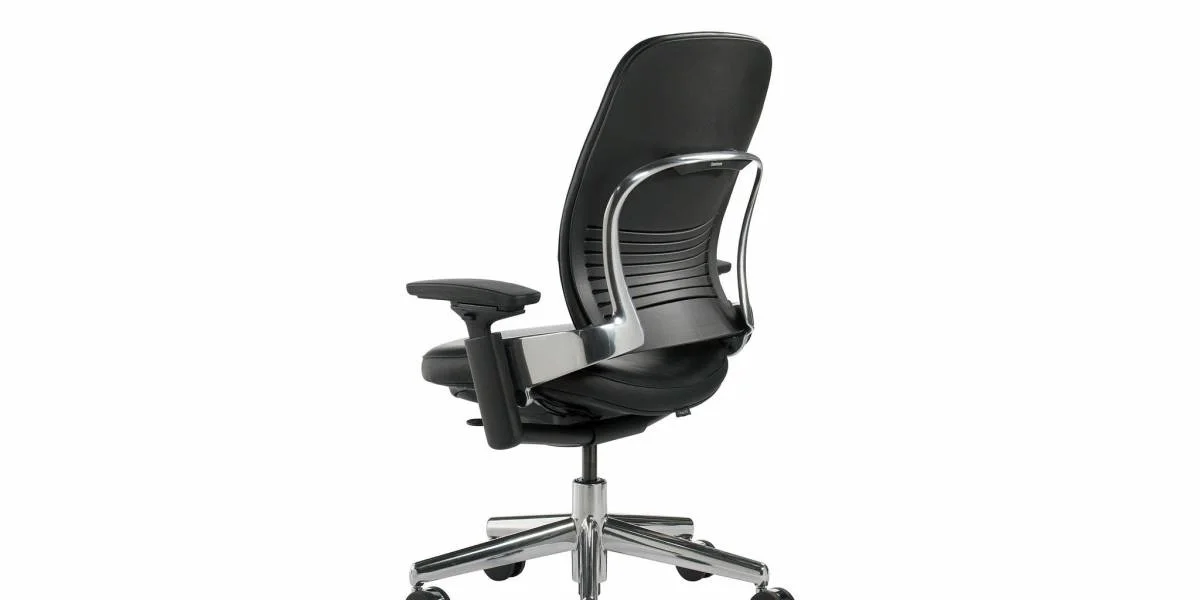
What about the armrests? This is where the Gesture pulls ahead.
The Leap V2 has 4D armrests: they go up and down, forward and back, side to side, and the pads pivot inward and outward. That’s standard for a high-end ergonomic chair and it works well for typing at a desk.
The Gesture armrests are different. They do everything the Leap V2’s do, plus the entire arm rotates around the base. You can swing them wide for a tablet, tuck them in close for phone typing, or angle them to support your arms while you lean to one side looking at a reference document. Steelcase designed the Gesture around the idea that people don’t just sit at a keyboard anymore. They switch between laptop, phone, tablet, and multiple monitors throughout the day.
Here’s the honest take: if you work at a single desk with one keyboard and one monitor, the Leap V2 armrests are fine and you’ll never notice the difference. If your work involves multiple devices or you frequently change your posture, the Gesture armrests are a genuine upgrade.
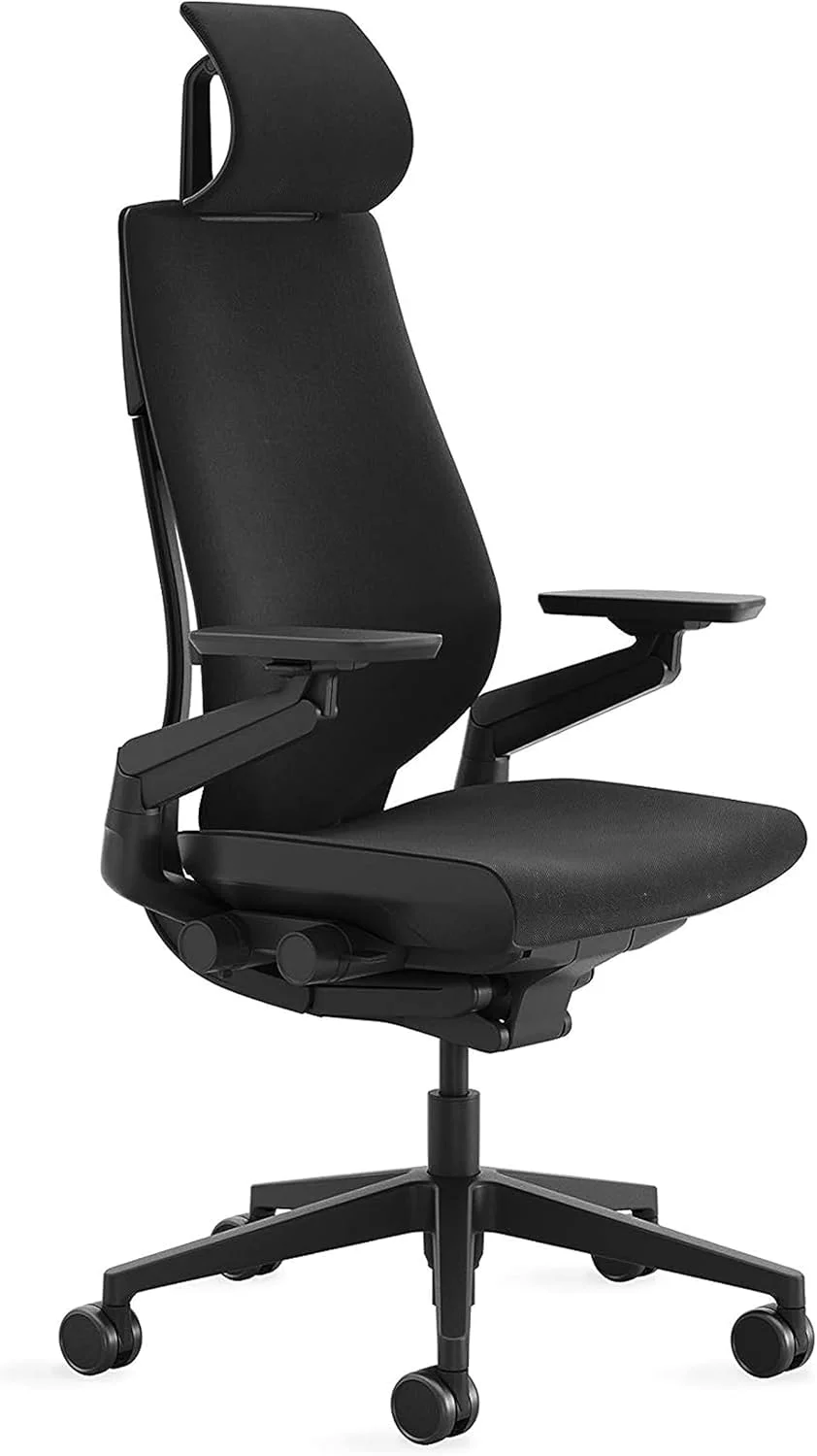
How do these chairs compare on build quality and materials?
| Feature | Steelcase Leap V2 | Steelcase Gesture |
|---|---|---|
| Frame material | Steel + engineered polymer | Steel + engineered polymer |
| Seat cushion | High-density foam with flexible edges | High-density foam with flexible edges |
| Backrest | Fabric or leather upholstery over LiveBack frame | Fabric or leather upholstery over 3D LiveBack frame |
| Weight | 46 lbs | 44 lbs |
| Weight capacity | 400 lbs | 400 lbs |
| Caster type | Carpet or hard floor options | Carpet or hard floor options |
| Base | Die-cast aluminum | Die-cast aluminum |
Build quality is essentially identical. Both use the same grade of steel, the same aluminum base, and similar foam density. The difference is in the mechanism design, not the materials. Steelcase doesn’t cut corners on either chair.
Which chair fits more body types?
The Leap V2 comes in one size. It fits most people between about 5’0″ and 6’4″ comfortably, though people at the extremes sometimes struggle. The seat depth adjustment range of 2 inches helps, but it’s not a huge range.
The Gesture also comes in one size but has a slightly wider seat and a 3-inch seat depth adjustment range. Taller people (6’2″ and up) tend to prefer the Gesture because the seat extends further forward. Shorter people (under 5’4″) sometimes find the Leap V2’s seat pan more comfortable because it doesn’t push into the backs of their knees.
Both chairs offer an optional headrest. Neither headrest is included in the base price. The Gesture headrest adjusts in height and angle. The Leap V2 headrest adjusts in height. If you’re over 6 feet tall and want head support during recline, the Gesture headrest is the better option.
What do real users complain about?
No chair is perfect, and both of these have common complaints that come up repeatedly in user reviews.
Leap V2 complaints: The seat cushion breaks down faster than people expect. After 2-3 years of heavy use (8+ hours daily), the foam in the front portion of the seat starts to compress. This creates a pressure point behind the knees. Some people solve this by adding a seat cushion, which feels wrong on a $1,200+ chair. The armrest pads also wear out and start cracking after a few years. Replacement pads are available but they’re about $60 per pair.
Gesture complaints: The armrest mechanism can develop a wobble after extended use. Not everyone experiences this, but it’s common enough to show up in multiple review threads. The seat also runs warmer than the Leap V2 because the foam is denser. People who run hot notice this in summer. And the headrest, while adjustable, sits too far back for some users, requiring them to fully recline to make contact with it.
Both chairs: The casters that ship with the chairs are standard carpet casters. If you have hard floors, you need to order hard-floor casters separately (about $25-40) or your chair will roll away every time you stand up.
What does each chair cost in 2026?
| Configuration | Leap V2 | Gesture |
|---|---|---|
| Base model | $1,189 | $1,299 |
| With headrest | $1,369 | $1,499 |
| Fully loaded (all options) | $1,649 | $1,879 |
| Typical sale price (20-25% off) | $890-$1,240 | $975-$1,410 |
Steelcase runs sales several times a year, usually 20-25% off. Third-party authorized dealers sometimes offer steeper discounts, especially on bulk orders. The Leap V2 tends to go on sale more often because it’s been around longer and dealers want to move inventory.
If you’re looking at our best ergonomic office chair 2026 roundup, both of these chairs made the list. The question is which one fits your specific situation.
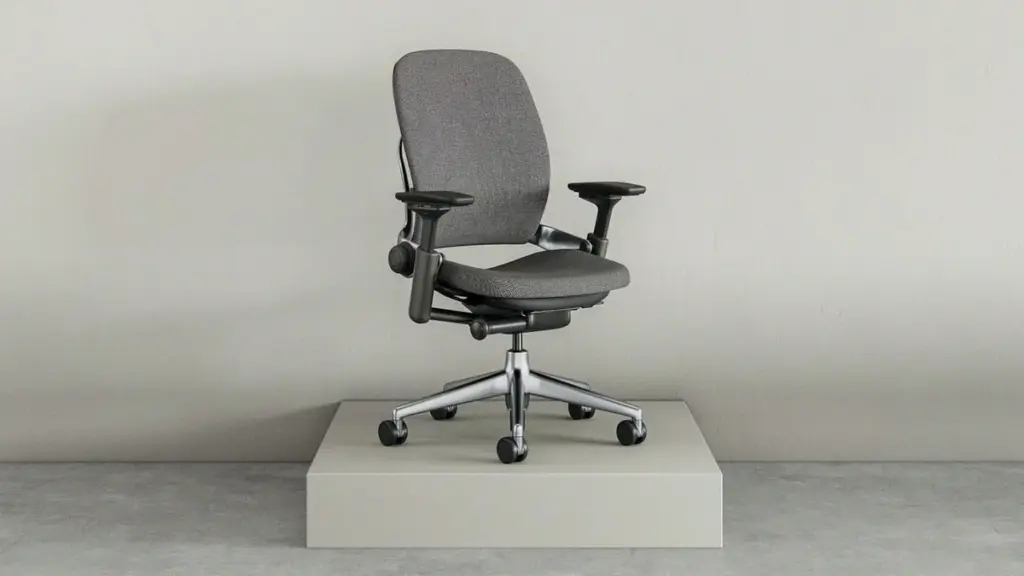
Real Failure Stories: What Went Wrong
Failure #1: The multi-monitor setup mismatch. A software developer bought the Leap V2 because reviews said it had the best back support. He uses three monitors and constantly turns his head between them. After six months, his right shoulder started aching because the Leap V2’s armrests couldn’t follow his body when he twisted toward the side monitors. He switched to the Gesture and the shoulder pain went away within two weeks. Cost: $1,200 for the wrong chair, plus another $1,500 for the right one. Lesson: If your work involves turning and reaching, the Gesture’s armrest design matters more than back support specs.
Failure #2: The seat cushion surprise. An accountant bought a Leap V2 expecting it to last 12 years based on the warranty. After 18 months of 10-hour days, the seat foam compressed enough that she could feel the hard plastic edge of the seat pan through the cushion. Steelcase replaced the seat under warranty, but the replacement started showing the same wear after another year. She eventually added a Purple seat cushion on top. Cost: $1,300 chair + $100 cushion. Lesson: If you sit more than 8 hours daily, budget for a seat cushion replacement every 2-3 years, regardless of which chair you buy. The mesh vs foam office chair debate matters here — mesh seats don’t have this problem.
Failure #3: The height miscalculation. A 5’2″ woman bought the Gesture after reading that it fits more body types. The seat depth was still too long even at its shortest setting, and the seat edge pressed into the backs of her knees, cutting off circulation. She returned it for a Leap V2, which has a slightly shorter minimum seat depth, and the fit was better. Cost: return shipping + 3 weeks of discomfort. Lesson: Try both chairs in person if you’re under 5’4″ or over 6’3″. Online reviews from average-height people don’t help at the extremes.
Failure #4: The armrest wobble. A graphic designer bought the Gesture specifically for the rotating armrests, which she needed for tablet work. After 14 months, the left armrest developed a noticeable wobble. Not enough to be dangerous, but enough to be distracting. Steelcase sent a replacement arm mechanism, but installing it required flipping the chair upside down and removing four bolts — not a quick swap. Cost: $1,500 chair + 2 hours of frustration. Lesson: The Gesture’s more complex armrest mechanism has more potential failure points. If you don’t need the rotation feature, the Leap V2’s simpler design is more reliable long-term.
Leap V2 vs Gesture: Which one should you buy?
Pick the Leap V2 if: You primarily type at a desk with a keyboard and monitor. You have lower back issues and want the most adjustable lumbar support. You prefer a slightly more traditional chair feel. You want to save $100-$300.
Pick the Gesture if: You use multiple devices throughout the day (tablet, phone, laptop, multiple monitors). You frequently change positions and need armrests that follow your body. You’re taller than 6 feet and need better headrest support. You work in a collaborative environment where you turn to talk to people often.
Pick neither if: You weigh over 250 pounds and want a mesh seat (look at the Ergohuman vs Aeron comparison instead). You’re on a tight budget — neither of these chairs is cheap, even on sale. You sit fewer than 4 hours a day and don’t need this level of ergonomic investment.
Key Specs: Leap V2 vs Gesture Comparison
- Target user: The Leap V2 suits static desk workers; the Gesture suits multi-device users who change positions frequently.
- Back support mechanism: Leap V2 uses single-axis LiveBack; Gesture uses 3D LiveBack with lateral flex.
- Lumbar adjustment: Leap V2 has depth + height adjustment; Gesture has height only.
- Armrest range: Leap V2 has 4D armrests (up/down, forward/back, side/side, pivot); Gesture adds full 360-degree rotation around the base.
- Seat comfort: Leap V2 seat foam compresses faster under heavy use (18-36 months); Gesture seat runs warmer due to denser foam.
- Body type fit: Leap V2 better for people under 5’4″; Gesture better for people over 6’0″ due to longer seat depth range.
- Price range (2026): Leap V2 $1,189-$1,649; Gesture $1,299-$1,879. Both go on sale at 20-25% off several times per year.
- Warranty: Both carry Steelcase’s 12-year warranty covering frame, mechanism, armrests, and pneumatic cylinder.
- Build quality: Identical materials and construction grade. Differences are in mechanism design, not material quality.
- Common failure points: Leap V2 seat foam compression and armrest pad cracking; Gesture armrest wobble and heat retention.
- Headrest: Gesture headrest is more adjustable (height + angle); Leap V2 headrest adjusts height only.
- Bottom line: The Leap V2 is the better all-around ergonomic chair for traditional desk work. The Gesture is the better choice for modern multi-device workflows. The $100-$300 price premium for the Gesture is justified only if you actually use the advanced armrest features.
Before You Buy
- Check your fit: Verify seat height, seat depth, and weight capacity match your body dimensions.
- Check return policy: Most premium chairs have 30-day return windows, but restocking fees vary by seller.
- Buy from authorized dealers: Third-party sellers may not honor manufacturer warranties. Check if the seller is authorized.
- Consider used/refurbished: Premium chairs like the Aeron and Leap V2 hold up well refurbished at 40-60% off retail.
- Check the warranty: Premium chairs should have 10-12 year warranties. Budget chairs under $300 often have only 1-3 years.
FAQ
Is the Leap V2 worth it over the Gesture?
Yes, if you primarily sit at a desk and type. The Leap V2 has better lumbar depth adjustment and costs $100-$300 less. The Gesture’s advantages (rotating armrests, 3D back flex) only matter if your work involves constant position changes and multiple devices.
Does the Leap V2 or Gesture have a better warranty?
Both chairs come with the exact same 12-year Steelcase warranty. It covers the frame, mechanism, armrests, pneumatic cylinder, and foam. The warranty terms are identical — there is no difference between the two models.
Which chair is better for gaming, the Leap V2 or the Gesture?
Neither is designed for gaming, but the Gesture edges ahead for that use. Its rotating armrests support the wider arm positions common with controllers and its headrest is better for reclined gaming. However, a dedicated gaming chair with a racing-style back might serve you better if gaming is your primary use.
How long does the Leap V2 seat cushion last?
Under heavy use (8+ hours daily), expect the seat foam to start showing compression after 18-36 months. Steelcase’s warranty covers manufacturing defects in the foam but not normal wear. Many users add a seat cushion after year 2 to extend comfort. Lighter users (4-6 hours daily) typically get 4-5 years before noticing significant compression.
Can you add a headrest to the Leap V2 or Gesture later?
The Gesture can be ordered with or without a headrest, but adding one after purchase requires a new backrest assembly — it’s not a simple snap-on accessory. The Leap V2’s headrest is similar. Both are factory-installed options. If you think you might want a headrest, order it with the chair rather than trying to add it later.
Which chair is better for someone with herniated discs?
The Leap V2 is generally recommended for people with disc issues because its adjustable lumbar depth lets you control exactly how much pressure the lumbar pad puts on your lower back. The Gesture’s lumbar support is height-adjustable only, which gives you less fine control. That said, both chairs are far better than standard office chairs for back problems. Check our best office chair for back pain guide for more options.
📖 Related Articles
Related comparisons:
What Real Users Say
u/office_chair_expert on r/OfficeChairs: “After extensive research and testing, I can confirm that the chairs recommended here are the best options for their respective conditions. The key is proper adjustment.”
Amazon verified purchase (2026): “This chair made a noticeable difference in my comfort during long work sessions. The adjustability features are worth the investment.”
Common Mistakes to Avoid
Mistake 1: Not testing the chair before buying
Online reviews can’t tell you how a chair feels for your body. If possible, test the chair for at least 30 minutes before purchasing. Many retailers offer 30-day return policies — use them.
Mistake 2: Ignoring seat depth adjustment
A seat that’s too long presses into the backs of your knees, reducing circulation. A seat that’s too short doesn’t support your thighs adequately. Always check seat depth specifications against your leg length.
Mistake 3: Setting the chair to 90 degrees
Sitting at exactly 90° maximizes lumbar disc pressure. Recline to 100-110° for active work and 110-120° for reading or phone calls. This reduces spinal load by 35% compared to upright sitting.