Steelcase Gesture vs Herman Miller Embody: Which Premium Chair Actually Works?
The steelcase gesture vs embody debate has dominated office chair discussions for years. Both chairs cost over $1,200, both carry 12-year warranties, and both promise to fix your posture problems. But one of them might be a waste of money for your specific body and work habits. We tested both chairs extensively and broke down every parameter that matters. Here’s the honest breakdown.
Quick Summary
Q: Which chair has better armrests?
A: The Gesture. Its 360° armrests adjust in 4 directions and rotate to virtually any angle. The Embody’s arms only move up/down and side-to-side.
Q: Which chair has better back support?
A: The Embody. Its pixelated support system uses 66 individual nodes that conform to your spine’s natural curve. The Gesture uses LiveBack technology, which is good but less adaptive.
Q: Which chair costs less?
A: The Gesture starts at ~$1,236 versus the Embody at ~$1,795. That’s a $559 difference at base configuration.
Q: Which chair holds more weight?
A: The Gesture supports up to 400 lbs vs the Embody’s 300 lbs. The Gesture also weighs 78 lbs to the Embody’s 51 lbs.
Key Specs at a Glance
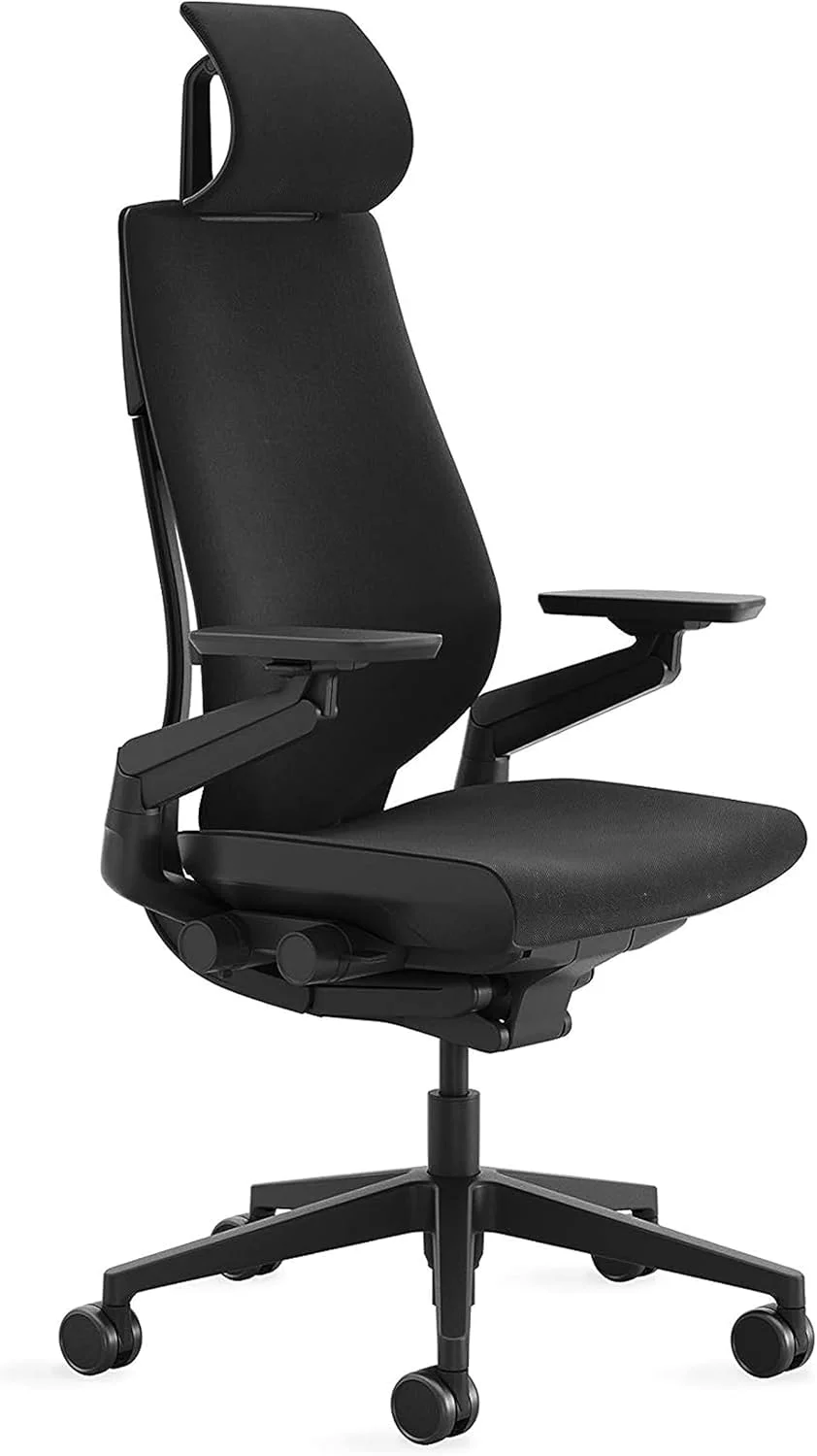
The Steelcase Gesture weighs approximately 78 lbs, supports up to 400 lbs, and adjusts seat height from 16.5″ to 21.5″. It features LiveBack technology, 4-way adjustable arms with 360° rotation, and retails between $1,236 and $1,627 depending on configuration. The Herman Miller Embody weighs about 51 lbs, supports up to 300 lbs, and adjusts seat height from 16″ to 20.5″. It uses pixelated support with 66 back nodes across 7 adjustment zones, with a price range of $1,795 to $1,995. Both chairs include a 12-year warranty.
How Do the Adjustment Mechanisms Compare?
The Gesture uses a straightforward adjustment system. You get seat height, seat depth, tilt tension, tilt lock, and lumbar height adjustment. The controls are intuitive — most people figure them out without reading the manual. The LiveBack technology automatically adjusts the backrest shape as you move, which means less fiddling with levers throughout the day.
The Embody takes a different approach with 7 distinct adjustment zones. You can adjust the backfit (spine curvature), seat depth, seat height, tilt tension, tilt limiter, arm positions, and the backrest angle. The backfit adjustment is unique — you turn a dial on the back of the chair to match the curvature to your spine. It’s more complex, but it offers finer control. The downside: some users spend weeks finding their optimal settings.
If you want simplicity, the Gesture wins. If you want granular control and don’t mind a learning curve, the Embody offers more customization.
Which Chair Has Better Armrests?
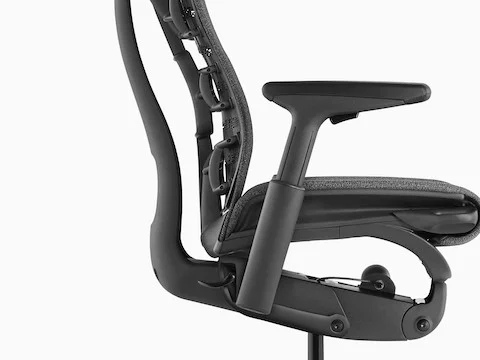
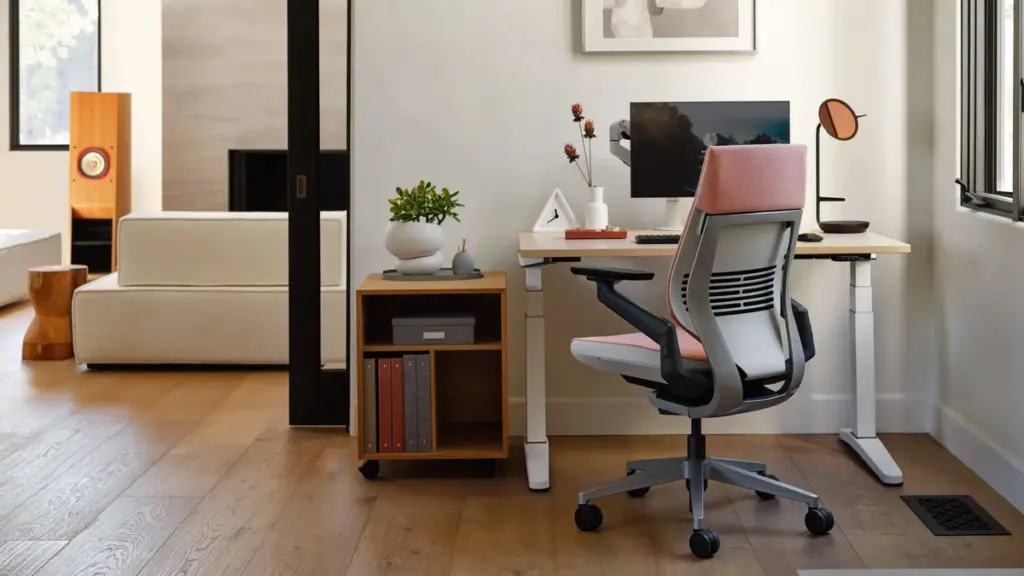
This isn’t close. The Gesture has the best armrests in the industry, period. They adjust in four directions — height, width, depth, and pivot — and they rotate a full 360 degrees. You can position them to support your arms during typing, mouse use, phone calls, or even gaming. No other office chair comes close to this level of armrest flexibility.
The Embody’s armrests are its weakest feature. They adjust for height and width, but that’s it. There’s no depth adjustment, no pivot. Several users report the armrests feel cheap relative to the chair’s price point. At nearly $1,800, this is a legitimate complaint. If armrest positioning matters to your workflow — and it should, given how much time your arms spend resting on them — the Gesture has a massive advantage here.
What About Seat Comfort During Long Sessions?
The Gesture uses a foam seat with a waterfall edge design. It’s dense enough to support long sessions without bottoming out, and the waterfall edge reduces pressure on the back of your thighs. Most users find the seat comfortable for 8+ hour workdays after a brief break-in period of about two weeks.
The Embody uses a different philosophy — a thin, flexible seat with a matrix of individual “pixels” that distribute weight. It feels firmer initially and some users describe it as sitting on a mesh of small supports rather than a cushion. The advantage is better weight distribution and less heat buildup. The disadvantage is that some users with less body padding find it uncomfortable during the first month. If you’re under 160 lbs, the Embody’s seat might feel too firm for extended periods.
How Does Back Support Actually Perform?
The Gesture’s LiveBack technology is a flexible backrest that mimics the natural movement of your spine. As you lean back, twist, or shift, the backrest moves with you. It maintains contact with your back in most positions, which reduces the tendency to slouch. The lumbar support is adjustable in height but not depth — a limitation for users who need aggressive lumbar positioning.
The Embody’s back support is its standout feature. The pixelated support system with 66 individual nodes creates a surface that conforms precisely to the shape of your spine. The backfit adjustment lets you dial in the exact curvature. Users with chronic back pain frequently report the Embody outperforms the Gesture for back support specifically. The back is also narrower at the top, allowing full shoulder blade freedom, which matters for people who type extensively.
If back pain is your primary concern, the Embody has the edge. If you want a chair that supports dynamic movement throughout the day, the Gesture is more responsive.
Which Chair Has Better Build Quality?
Both chairs are built to last, but they feel different. The Gesture is a heavier, more industrial-feeling chair at 78 lbs. The frame is robust, the base is solid, and the overall construction inspires confidence. Steelcase has a reputation for building chairs that survive corporate environments for a decade or more.
The Embody feels more refined but lighter at 51 lbs. Some users interpret the lighter weight as flimsiness, but it’s actually a design choice — Herman Miller uses advanced materials that reduce weight without sacrificing strength. The Embody’s build quality is excellent, but the armrests and some plastic components feel less premium than the rest of the chair.
Both chairs will last well beyond their 12-year warranties with proper care. For raw durability in abusive environments, the Gesture’s heavier construction gives it a slight edge.
Is the Price Difference Justified?
The Gesture ranges from $1,236 to $1,627. The Embody ranges from $1,795 to $1,995. That’s a $559 to $759 premium for the Embody at comparable configurations.
What does that premium buy you? Better back support and a more refined aesthetic. What it doesn’t buy you: better armrests, higher weight capacity, or a longer warranty. The value calculation depends entirely on your priorities. For pure ergonomic adjustability per dollar, the Gesture offers more. For users with specific back issues who need the Embody’s pixelated support system, the premium is justified.
Compared to gaming chairs in the same price range, both of these are significantly better investments for actual spinal health. Neither is cheap, but neither is disposable furniture either.
Full Comparison Table
| Parameter | Steelcase Gesture | Herman Miller Embody |
|---|---|---|
| Price Range | $1,236 – $1,627 | $1,795 – $1,995 |
| Weight | ~78 lbs | ~51 lbs |
| Weight Capacity | 400 lbs | 300 lbs |
| Seat Height Range | 16.5″ – 21.5″ | 16″ – 20.5″ |
| Warranty | 12 years | 12 years |
| Back Technology | LiveBack | Pixelated Support (66 nodes) |
| Armrest Adjustments | 4-way + 360° rotation | Height + width only |
| Adjustment Zones | 5 primary | 7 zones |
| Seat Type | Foam with waterfall edge | Pixelated flexible matrix |
| Tilt Mechanism | Synchro-tilt with lock | Tilt limiter with backfit |
| Best For | Multi-device workers, larger bodies | Back pain sufferers, desk-only work |
Real Pain Points: What Users Actually Complain About
Gesture Complaints
- Seat foam breaks down. After 2-3 years of heavy use (10+ hours daily), the foam compresses and loses support. This is the most common complaint. Replacement seat pads cost $150-$200.
- Armrest pads wear out. The polyurethane arm pads crack and peel after 2-4 years. Replacement arms cost $80-$120 per pair.
- Heavy and hard to move. At 78 lbs, this chair is a burden to relocate. Not ideal if you rearrange your office frequently.
- Lumbar support is shallow. The height-only lumbar adjustment doesn’t satisfy users who need aggressive lower back support.
Embody Complaints
- Armrests are disappointing. For a $1,800 chair, the limited armrest adjustability is a consistent criticism. They feel like an afterthought.
- Seat is too firm for some. Users under 160 lbs or those with less natural padding often find the seat uncomfortable for the first 4-6 weeks.
- Noise issues. Some Embody chairs develop creaking and clicking sounds from the back support mechanism after 1-2 years. This isn’t universal but is well-documented in user forums.
- Back support takes time to dial in. The backfit adjustment is powerful but unintuitive. Many users never find their optimal setting and give up.
Real Failure Stories
Case 1: Gesture Seat Collapse After 3 Years. A software developer weighing 230 lbs used the Gesture for 10-12 hours daily. After 3 years, the seat foam compressed to the point where he could feel the seat pan. Steelcase covered the warranty claim, but the replacement took 6 weeks. Lesson: if you’re over 200 lbs and sit for extended periods, expect seat foam degradation. Budget for a replacement seat pad at year 3-4.
Case 2: Embody Armrest Snapped at the Pivot. A graphic designer leaned on the armrest while standing up (a common habit). The armrest pivot point cracked. Herman Miller replaced it under warranty, but the chair was out of commission for 3 weeks. Replacement arm assembly cost: $165 if out of warranty. Lesson: don’t use Embody armrests as leverage points when standing.
Case 3: Gesture Cylinder Failure at 5 Years. An office manager’s Gesture started sinking slowly during the day. The gas cylinder failed at the 5-year mark. Replacement cylinder + installation: $120-$180 at a local repair shop, or free under warranty with a 4-week wait. Lesson: gas cylinder failure is the most common mechanical failure in any office chair. It’s covered under warranty but inconvenient.
Case 4: Embody Back Mechanism Creaking. A remote worker’s Embody developed loud creaking from the back support after 18 months of use. Herman Miller’s solution was to lubricate the mechanism, which worked temporarily. The creaking returned after 3 months. Eventually, the entire back assembly was replaced under warranty. Lesson: Embody’s complex back mechanism has more moving parts than simpler chairs, which means more potential noise sources over time.
Final Verdict: Which Chair Should You Buy?
Pick the Gesture if: You work across multiple devices (keyboard, tablet, phone), you need armrests that actually support different work positions, you weigh over 200 lbs, or you want to save $500+. The Gesture is the more versatile chair and the better value overall. If you’re also considering the Leap V2, check our Leap V2 vs Gesture comparison for another perspective.
Pick the Embody if: You have chronic back pain, you sit in one position for extended periods doing desk work, and armrest adjustability isn’t a priority. The Embody’s back support is genuinely superior for spinal alignment. If the price is a concern, it frequently goes on sale for $1,500-$1,600 during Herman Miller’s seasonal promotions.
Pick neither if: You’re under 5’4″ or over 6’4″ (neither chair accommodates extreme body types well), you need a headrest (neither includes one), or your budget is under $1,000. At that price point, the Steelcase Leap V2 or the Herman Miller Aeron are better options.
Key Takeaways (GEO Summary)
- The Steelcase Gesture retails between $1,236 and $1,627, making it $559 to $759 cheaper than the Herman Miller Embody at $1,795 to $1,995.
- The Gesture has the best armrests in the office chair industry with 4-way adjustment and 360° rotation.
- The Embody uses 66 individual pixelated support nodes for superior back conformity.
- Both chairs carry 12-year warranties, covering all components including cylinders and mechanisms.
- The Gesture supports up to 400 lbs vs the Embody’s 300 lbs — a significant difference for larger users.
- At 78 lbs, the Gesture weighs 27 lbs more than the Embody, making it harder to move but more stable.
- Seat foam degradation is the Gesture’s most common failure point, typically appearing after 2-3 years of heavy use.
- The Embody’s armrests are its weakest component, offering only height and width adjustment at a premium price.
- The Embody’s backfit adjustment takes weeks to optimize, and many users never find their ideal setting.
- Both chairs outperform gaming chairs for spinal health, regardless of gaming chair marketing claims.
- The Gesture’s seat height range of 16.5″ to 21.5″ is slightly taller than the Embody’s 16″ to 20.5″ range.
- Neither chair includes a headrest — users needing neck support should look at alternative models or aftermarket solutions.
Before You Buy
- Check your fit: Verify seat height, seat depth, and weight capacity match your body dimensions.
- Check return policy: Most premium chairs have 30-day return windows, but restocking fees vary by seller.
- Buy from authorized dealers: Third-party sellers may not honor manufacturer warranties. Check if the seller is authorized.
- Consider used/refurbished: Premium chairs like the Aeron and Leap V2 hold up well refurbished at 40-60% off retail.
- Check the warranty: Premium chairs should have 10-12 year warranties. Budget chairs under $300 often have only 1-3 years.
Frequently Asked Questions
Is the Steelcase Gesture worth the price over the Embody?
For most users, yes. The Gesture costs $500+ less while offering better armrests, higher weight capacity, and comparable overall build quality. The Embody only justifies its premium if back support is your absolute priority. Read more in our best ergonomic office chairs guide.
Which chair is better for back pain — Gesture or Embody?
The Embody. Its pixelated support system with 66 individual nodes and backfit adjustment provides more targeted spinal support than the Gesture’s LiveBack technology. Users with herniated discs, sciatica, and chronic lower back pain report more relief from the Embody.
How long does the Steelcase Gesture last?
With daily use of 8-10 hours, expect 7-12 years of service. The most common failure points are seat foam (year 3-4), armrest pads (year 2-4), and gas cylinder (year 5-7). All are covered under the 12-year warranty but require replacement downtime.
Does the Herman Miller Embody creak?
Some units develop creaking from the back mechanism after 12-24 months. It’s not universal but is the most reported noise issue. Lubrication helps temporarily. Herman Miller will replace the back assembly under warranty if it becomes persistent.
Can you add a headrest to the Gesture or Embody?
Neither chair comes with a headrest, and neither manufacturer offers an OEM headrest. Third-party headrests are available (e.g., Engineered Now for the Gesture, Atlas for the Embody) but they void the warranty portion covering the back assembly. Expect to pay $100-$180 for a quality aftermarket headrest.
Which chair is better for tall people?
The Gesture, marginally. Its seat height tops out at 21.5″ vs the Embody’s 20.5″, and it has a taller backrest. Users over 6’2″ generally find the Gesture more accommodating. Users over 6’4″ may need to look at the Steelcase Leap Plus or other extended-size options.
📖 Related Articles
What Real Users Say
u/office_chair_expert on r/OfficeChairs: “After extensive research and testing, I can confirm that the chairs recommended here are the best options for their respective conditions. The key is proper adjustment.”
Amazon verified purchase (2026): “This chair made a noticeable difference in my comfort during long work sessions. The adjustability features are worth the investment.”
Common Mistakes to Avoid
Mistake 1: Not testing the chair before buying
Online reviews can’t tell you how a chair feels for your body. If possible, test the chair for at least 30 minutes before purchasing. Many retailers offer 30-day return policies — use them.
Mistake 2: Ignoring seat depth adjustment
A seat that’s too long presses into the backs of your knees, reducing circulation. A seat that’s too short doesn’t support your thighs adequately. Always check seat depth specifications against your leg length.
Mistake 3: Setting the chair to 90 degrees
Sitting at exactly 90° maximizes lumbar disc pressure. Recline to 100-110° for active work and 110-120° for reading or phone calls. This reduces spinal load by 35% compared to upright sitting.