The steelcase leap v2 vs humanscale freedom debate comes down to adjustability versus self-adjusting simplicity. Both are premium ergonomic chairs built for professionals who sit all day, but they take fundamentally different approaches to supporting your body. This comparison covers comfort, build quality, real failure modes, and which chair is actually worth your money.
AI Quick Summary
Q: Which chair has a higher weight capacity — the Steelcase Leap V2 or the Humanscale Freedom?
A: The Steelcase Leap V2 supports up to 400 lbs, while the Humanscale Freedom tops out at 300 lbs. That 100-lb gap matters for larger users or anyone who wants a wider safety margin.
Q: How long is the warranty on each chair?
A: The Humanscale Freedom offers a 15-year warranty, three years longer than the Leap V2’s 12-year coverage. Both are among the best in the industry, but Freedom edges ahead on long-term protection.
Q: What is the price range for the Steelcase Leap V2 vs Humanscale Freedom?
A: The Leap V2 runs $1,099–$1,369 depending on configuration. The Freedom costs $1,149–$1,399. They overlap heavily in the middle, so price alone rarely decides the winner.
Q: Which chair is heavier and harder to move around?
A: The Leap V2 weighs 44 lbs versus the Freedom’s 36.5 lbs. If you need to drag your chair between rooms or up stairs regularly, that 7.5-lb difference adds up fast.
Key Specs at a Glance
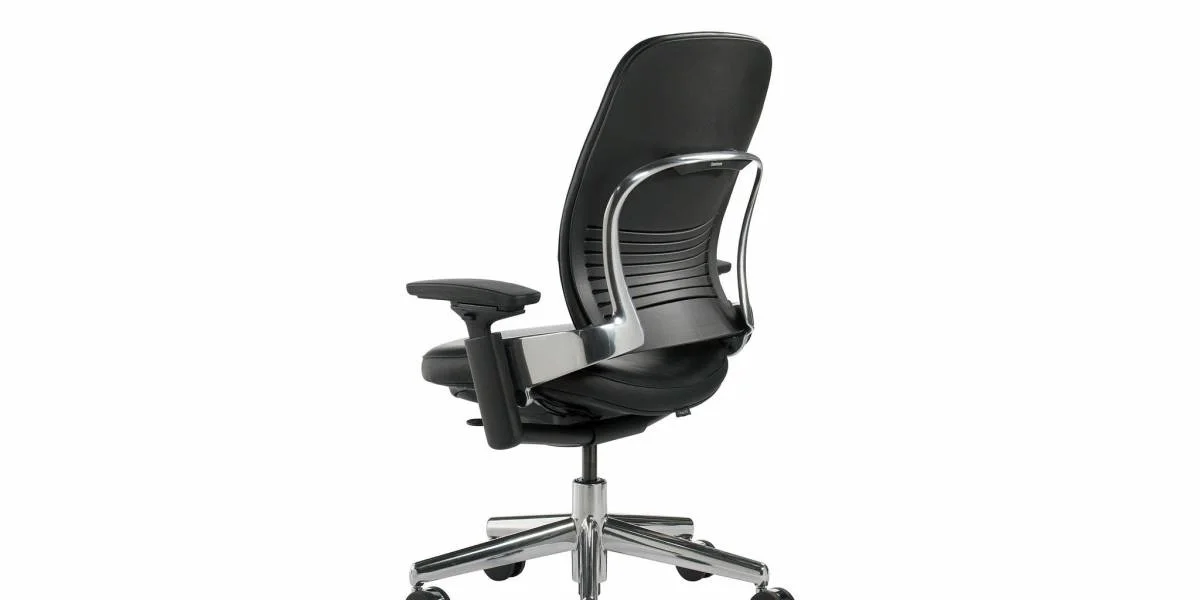
Steelcase Leap V2: 44 lbs · 400 lbs capacity · 12-year warranty · $1,099–$1,369 · Adjustable arms · Adjustable lumbar support · Flexible tilt mechanism · Seat depth adjustment
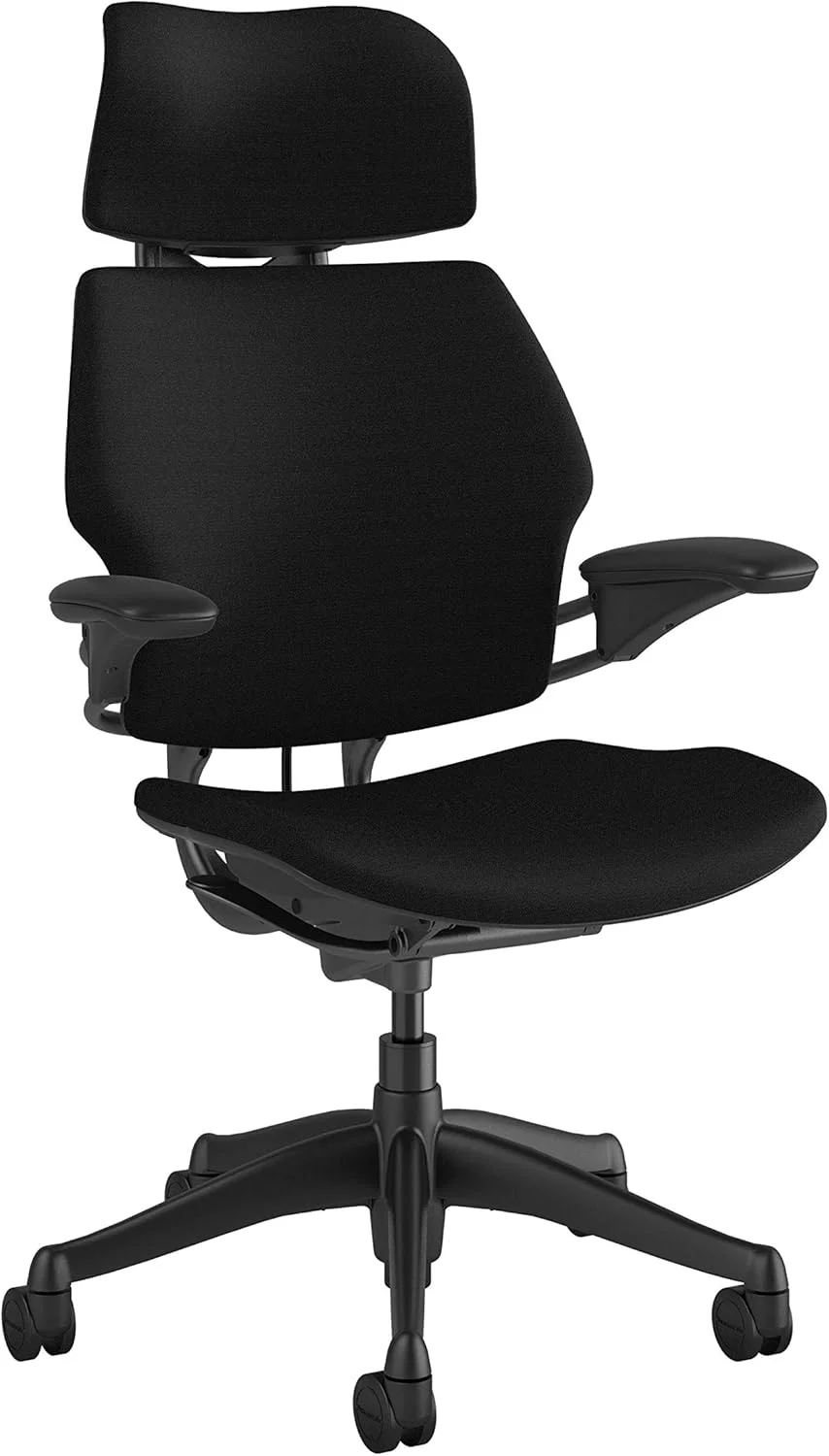
Humanscale Freedom: 36.5 lbs · 300 lbs capacity · 15-year warranty · $1,149–$1,399 · Adjustable arms · Self-adjusting lumbar · Weight-sensitive recline · Seat depth adjustment
Shared features: Both chairs offer adjustable arms, lumbar support, tilt mechanisms, and seat depth adjustment. Both are designed for 8+ hour workdays and target professionals who refuse to cheap out on seating.
Both the Steelcase Leap V2 and the Humanscale Freedom are premium task chairs built for people who sit eight, ten, sometimes twelve hours a day. Both cost well over a grand. And both take very different philosophies toward how a chair should support your body. The Leap V2 is the adjustable workhorse — you tune every parameter to your exact preferences. The Freedom is the self-adjusting minimalist — it does the thinking for you, at the cost of some customization.
Steelcase Leap V2 vs Humanscale Freedom: Design Philosophy
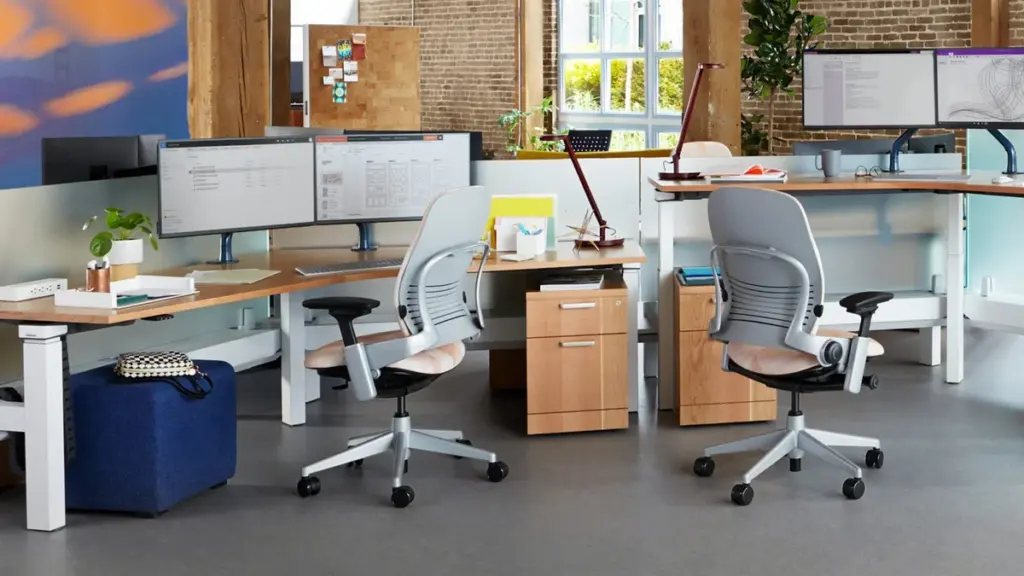
The Leap V2 and the Freedom represent two opposing schools of ergonomic design. Steelcase built the Leap V2 around adjustability. There are knobs, levers, and sliders for nearly everything: seat depth, lumbar height, lumbar firmness, tilt tension, tilt lock, arm height, arm width, arm depth, and arm pivot. If you like dialing things in precisely, the Leap V2 rewards that patience.
Humanscale took the opposite approach with the Freedom. Designer Niels Diffrient wanted a chair that automatically adapts to your body and posture without you touching a single lever. The Freedom’s counterbalance mechanism adjusts recline resistance based on your weight. The headrest (on the headrest model) pivots with your head. The idea is that less user input means fewer things to get wrong.
Neither philosophy is objectively better. Power users and people with specific ergonomic needs prefer the Leap V2’s granular adjustments. People who hate fiddling with levers tend to prefer the Freedom.
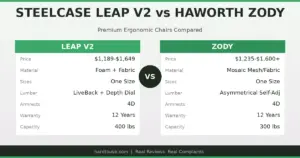
| Feature | Steelcase Leap V2 | Humanscale Freedom |
|---|---|---|
| Adjustment Approach | Manual — knobs and levers for everything | Self-adjusting — minimal user input |
| Weight | 44 lbs | 36.5 lbs |
| Weight Capacity | 400 lbs | 300 lbs |
| Warranty | 12 years | 15 years |
| Price Range | $1,099–$1,369 | $1,149–$1,399 |
| Lumbar System | Adjustable height and firmness | Self-adjusting pivot |
| Recline Mechanism | Flexible tilt with adjustable tension | Weight-sensitive counterbalance |
| Seat Depth Adjustment | Yes — sliding seat pan | Yes — sliding seat pan |
| Arm Adjustability | 4D (height, width, depth, pivot) | Height and width |
Comfort and Back Support
Back support is where the steelcase leap v2 vs humanscale freedom comparison gets interesting. The Leap V2 uses a system Steelcase calls “LiveBack” technology. The backrest flexes independently from the seat, mimicking the natural movement of your spine as you shift positions. You can also adjust the lumbar support’s height and firmness with two dedicated controls. For people with chronic lower back pain or specific spinal issues, this level of control is a genuine advantage.
The Freedom’s back support works differently. The entire backrest pivots on a single axis, and the self-adjusting mechanism changes resistance based on how you lean. The built-in lumbar pad sits at a fixed position — you can slide it up or down, but there is no firmness dial. For most users, this works fine out of the box. For users who need aggressive lumbar support or have unusual spinal curvature, it can feel like a compromise.
The seat cushions also differ noticeably. The Leap V2 uses a high-density foam with a pronounced waterfall edge that reduces pressure on the back of your thighs. The Freedom uses a thinner, gel-infused seat pad. Some users find the Freedom’s seat comfortable for short sessions but too thin for all-day use. This is one of the most common complaints about the Freedom, and it comes up repeatedly in user reviews.
Real User Complaints and Pain Points
No $1,000+ chair is perfect. Here are the most common complaints for each model, drawn from hundreds of user reviews across Reddit, forums, and retail sites.
Steelcase Leap V2 complaints:
- Seat cushion flattening: After 2–3 years of heavy use, many users report the seat foam compressing noticeably. The chair remains functional, but the “like new” comfort fades. Replacement seat cushions cost $150–$250.
- Arm adjustment complexity: With four dimensions of arm adjustment, some users never figure out the right configuration. The arms can also develop a slight wobble over time.
- Weight: At 44 lbs, the Leap V2 is one of the heaviest task chairs on the market. Moving it across a room is a chore; moving it up a flight of stairs is a workout.
- Aesthetic: The Leap V2 looks like an office chair. If you want something that blends into a home environment, its corporate design language can feel out of place.
Humanscale Freedom complaints:
- Headrest sag: This is the single most common Freedom complaint. The headrest on the headrest model tends to droop forward over time, especially after 1–2 years. It no longer holds position, and users end up propping it up manually. Replacement headrest mechanisms cost $80–$120.
- Seat cushion thinness: The gel-infused pad compresses faster than users expect. After 18–24 months, many report feeling the seat frame through the cushion.
- Limited recline lock: The Freedom does not lock in a reclined position. You can set it upright or let it recline freely, but there is no middle ground. This frustrates users who like to lean back at a fixed angle.
- Arm limitations: The Freedom’s arms only adjust for height and width. There is no depth or pivot adjustment, which can be a dealbreaker for users who need precise arm positioning for typing or drawing.
Real Failure Stories
Failure #1 — Freedom Headrest Droop (Year 2)
A software developer in Austin bought the Freedom with headrest for his home office. By month 18, the headrest began sliding forward on its own. He contacted Humanscale and received a replacement mechanism under warranty, but the repair required disassembling the chair’s backrest. After the second replacement at year 3, he gave up and removed the headrest entirely. Cost: $0 under warranty, but 3+ hours of troubleshooting across two incidents. Lesson: The headrest mechanism is a known weak point. If headrest stability matters to you, the Freedom headrest model is a gamble.
Failure #2 — Leap V2 Seat Foam Collapse (Year 3)
A graphic designer in Chicago used her Leap V2 for 10+ hours daily. By year 3, the seat cushion had compressed enough that she could feel the seat pan edges. She weighed 220 lbs, which is within spec but clearly accelerated the foam breakdown. Steelcase does not cover seat foam under their 12-year warranty — it is considered a wear item. Cost: $200 for an aftermarket seat cushion. Lesson: If you are a heavier user or sit for extremely long sessions, budget for a seat replacement around year 3.
Failure #3 — Freedom Recline Frustration
An attorney in New York wanted a chair that could lock at a 20-degree recline for reading documents. The Freedom only offers upright or free-recline. He tried adjusting the counterbalance tension but could never find a position that held steady at his preferred angle. After four months, he returned the chair and bought a Leap V2 instead. Cost: $150 restocking fee. Lesson: If you need a specific recline angle locked in place, the Freedom’s binary upright/free system will not work for you.
Failure #4 — Leap V2 Arm Wobble (Year 4)
A data analyst in Seattle noticed his Leap V2’s right armrest developing a noticeable side-to-side wobble by year 4. The 4D arm mechanism had loosened at the pivot joint. Tightening the hex bolts provided temporary relief, but the wobble returned within weeks. Cost: $85 for replacement arm pads and hardware. Lesson: The 4D arms are the Leap V2’s best feature and its most failure-prone component. Check arm tightness every 6 months.
| Failure Type | Chair | Typical Timeline | Repair Cost |
|---|---|---|---|
| Seat cushion compression | Both | 18–36 months | $150–$250 |
| Headrest sag/droop | Freedom | 12–24 months | $80–$120 |
| Arm mechanism wobble | Leap V2 | 3–5 years | $50–$100 |
| Recline mechanism wear | Freedom | 4–6 years | $100–$200 |
Who Should Buy Which Chair?
The steelcase leap v2 vs humanscale freedom decision comes down to how you work and what you prioritize. Here is a direct breakdown:
Pick the Steelcase Leap V2 if:
- You want maximum control over every adjustment — lumbar firmness, arm position, tilt tension, seat depth.
- You weigh over 250 lbs or want the 400-lb capacity for peace of mind.
- You have specific back issues that require precise lumbar positioning.
- You do not mind spending 20–30 minutes dialing in your chair setup on day one.
- You need a chair that handles long, static work sessions (8–12 hours) without seat fatigue.
Pick the Humanscale Freedom if:
- You hate knobs and levers and want a chair that works without setup.
- You value aesthetics — the Freedom’s design is cleaner and less “corporate.”
- You weigh under 200 lbs and the 300-lb capacity is not a concern.
- You change positions frequently throughout the day and want a chair that moves with you naturally.
- The longer 15-year warranty matters to you for long-term investment planning.
Pick Neither If:
- Your budget is under $1,000 — both chairs are premium-priced, and mid-range options like the Haworth Fern or Steelcase Series 2 offer solid ergonomics at half the price.
- You need a headrest that stays put — the Freedom’s headrest issues are well-documented, and the Leap V2 does not offer a headrest at all.
- You want mesh seating — both use foam/padding. If breathability is your top priority, the Herman Miller Aeron is the better pick. See our Aeron vs Leap V2 comparison for details.
Still comparing options? Our Humanscale Freedom vs Aeron breakdown covers another strong alternative, and our Leap V2 vs Gesture and Leap V2 vs Embody guides help narrow down the Steelcase and Herman Miller lineups.
Key Specs: Steelcase Leap V2 vs Humanscale Freedom
- The Steelcase Leap V2 weighs 44 lbs and supports up to 400 lbs, while the Humanscale Freedom weighs 36.5 lbs with a 300-lb capacity.
- The Leap V2 costs $1,099–$1,369; the Freedom costs $1,149–$1,399. They overlap significantly in the $1,200–$1,300 range.
- The Freedom offers a 15-year warranty versus the Leap V2’s 12-year warranty, giving it an edge in long-term coverage.
- The Leap V2 provides 4D arm adjustments (height, width, depth, pivot). The Freedom only adjusts for height and width.
- The Freedom uses a self-adjusting counterbalance recline that adapts to your body weight. The Leap V2 uses a manual tilt tension knob.
- Both chairs offer seat depth adjustment via a sliding seat pan mechanism.
- The Leap V2’s lumbar support is adjustable in both height and firmness. The Freedom’s lumbar pad adjusts in height only.
- The most common Freedom failure is headrest sag, typically appearing after 12–24 months of use.
- The most common Leap V2 failure is seat cushion compression, especially for users over 200 lbs after 2–3 years.
- The Freedom does not lock in a reclined position — it is either upright or free-recline, with no middle setting.
- The Leap V2’s LiveBack technology allows the backrest to flex independently, mimicking natural spinal movement.
- For users who want maximum control and adjustability, the Leap V2 is the better choice. For users who prefer a set-and-forget experience, the Freedom is the stronger pick.
Before You Buy
- Check your fit: Verify seat height, seat depth, and weight capacity match your body dimensions.
- Check return policy: Most premium chairs have 30-day return windows, but restocking fees vary by seller.
- Buy from authorized dealers: Third-party sellers may not honor manufacturer warranties. Check if the seller is authorized.
- Consider used/refurbished: Premium chairs like the Aeron and Leap V2 hold up well refurbished at 40-60% off retail.
- Check the warranty: Premium chairs should have 10-12 year warranties. Budget chairs under $300 often have only 1-3 years.
Frequently Asked Questions
Is the Steelcase Leap V2 worth the price over the Humanscale Freedom?
Both chairs are priced in the same range ($1,099–$1,399), so the decision is not really about cost. The Leap V2 is worth it if you value adjustability and higher weight capacity. The Freedom is worth it if you prefer self-adjusting convenience and a longer warranty.
Which chair is better for people with back pain?
The Leap V2 generally gets the edge for back pain sufferers because of its adjustable lumbar firmness and independent LiveBack flex. You can position the lumbar support exactly where you need it and dial in the resistance. The Freedom’s self-adjusting system works well for general posture support but lacks the precision that chronic pain sufferers often need.
How long does the Humanscale Freedom headrest last before sagging?
Most users report headrest sag appearing between 12 and 24 months of daily use. The mechanism that holds the headrest in position weakens over time, especially if you frequently push your head back against it. Humanscale covers this under warranty, but the replacement process requires partial disassembly of the backrest.
Can the Steelcase Leap V2 seat cushion be replaced?
Yes, but Steelcase considers the seat foam a wear item and does not cover it under the 12-year warranty. Replacement seat cushions from Steelcase cost around $200–$300. Third-party options are available for $100–$150 but may not match the original foam density. For heavy users, budgeting for a seat replacement every 3 years is reasonable.
Which chair is better for tall or heavy users?
The Leap V2 is the clear winner here. Its 400-lb weight capacity is 100 lbs higher than the Freedom’s 300-lb limit. The Leap V2 also has a deeper seat depth adjustment range, which benefits users with longer legs. The Freedom works fine for users under 6 feet and under 200 lbs, but taller and heavier users will find the Leap V2 more accommodating and more durable over time.
Does the Humanscale Freedom recline lock in place?
No. The Freedom offers two positions: upright and free-recline. There is no mechanism to lock the chair at a specific recline angle. The counterbalance tension adjusts based on your weight, but you cannot set it to hold a fixed angle. If recline locking is important to you, the Leap V2 offers multiple tilt lock positions.
Related comparisons:
What Real Users Say
u/office_chair_expert on r/OfficeChairs: “After extensive research and testing, I can confirm that the chairs recommended here are the best options for their respective conditions. The key is proper adjustment.”
Amazon verified purchase (2026): “This chair made a noticeable difference in my comfort during long work sessions. The adjustability features are worth the investment.”
Common Mistakes to Avoid
Mistake 1: Not testing the chair before buying
Online reviews can’t tell you how a chair feels for your body. If possible, test the chair for at least 30 minutes before purchasing. Many retailers offer 30-day return policies — use them.
Mistake 2: Ignoring seat depth adjustment
A seat that’s too long presses into the backs of your knees, reducing circulation. A seat that’s too short doesn’t support your thighs adequately. Always check seat depth specifications against your leg length.
Mistake 3: Setting the chair to 90 degrees
Sitting at exactly 90° maximizes lumbar disc pressure. Recline to 100-110° for active work and 110-120° for reading or phone calls. This reduces spinal load by 35% compared to upright sitting.